
How to Use Music in Video Editing: Tips and Best Practices
Learn how to use music in video editing to enhance emotion, sync cuts, keep dialogue clear, and handle licensing effectively.
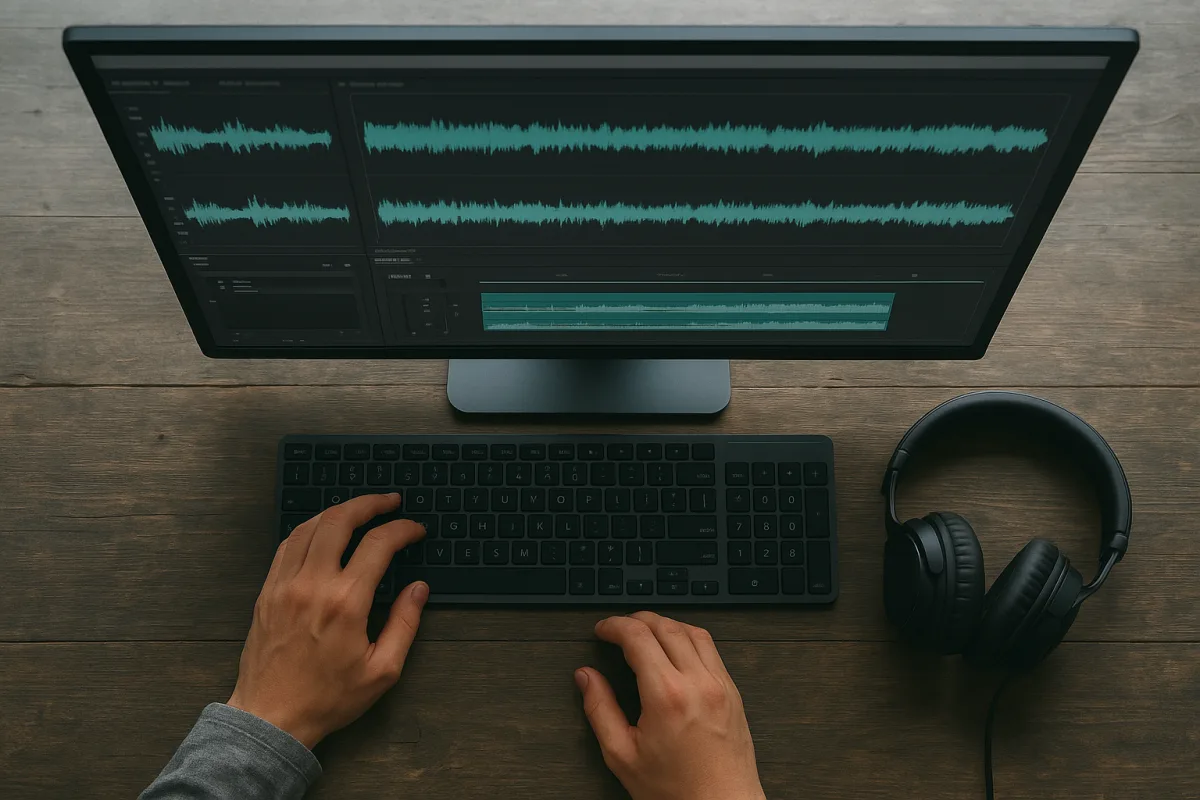
Define the feeling before you open the music library
You have a scene that is technically working but emotionally flat: the interview lands, the images are clean, and the cut still feels like a sequence of shots. Before searching, write the intended viewer feeling in a few words: relief, restrained grief, mounting urgency, confidence, or warmth. [2]
Do not settle for “cinematic” or “upbeat.” Those labels describe a broad sound, not the change you need the audience to experience between the opening shot and the final frame.
Then define what the music must not do. A documentary interview may need tension without manipulation, while a sports montage can sustain obvious momentum and release. Genre and cultural context affect how directly music can lead the audience, and documentaries often use more restrained scoring than music-driven formats. [12][16]
We would make this emotional note part of the edit sequence, alongside the scene objective and dialogue selects. It gives you a reason to reject a good track that belongs to another story.
Match the track’s pace to the cut
Start with the pace already present in the material. Slow music around 60 to 80 BPM suits contemplative or narration-heavy scenes, moderate music around 85 to 105 BPM suits many corporate videos, and 110 BPM or higher supports high-energy work. [3]
These are starting ranges, not timing rules. A slow track can work under fast cutting if you want emotional distance, and a fast track can sit under long shots if the scene needs contained anxiety.
Watch the spacing of cuts, camera movement, and spoken phrases before you choose a beat. If the picture has room to breathe, a busy percussion pattern can make it feel falsely rushed.
For a sports sequence, energetic music can reinforce speed and physical effort. For meditation or reflective personal storytelling, calmer music can support stillness, while trailers usually call for a more dramatic arc. [7]
Do not use tempo as a substitute for editorial pace. If the cut has no escalation, adding faster music usually makes the problem louder instead of fixing it.
Choose instruments that agree with the images
Instrumentation tells the viewer what kind of feeling to expect before lyrics or picture details can do the work. Piano, acoustic guitar, and strings tend toward warmth and intimacy, electronic and synth textures toward modernity or urgency, and orchestral arrangements toward scale and grandeur. [4]
Use that shorthand against the visual evidence. A close interview about loss may need a sparse piano or restrained texture, while a wide reveal can carry fuller strings or orchestral weight.
Avoid choosing a track only because its opening works. Listen through the whole cue for added drums, chord changes, drops, and melodic lifts that may force an emotional event the footage does not contain.
Music structure needs to follow story progression, especially where a scene turns, reveals information, or reaches a decision. Failing to align the musical arc with those moments is a common reason a polished edit feels emotionally disconnected. [16]
We would choose the simplest track that delivers the intended feeling. A busy arrangement gives you fewer places to put dialogue, sound effects, pauses, and picture changes.
Keep words out of the way of words
Use instrumental music under dialogue whenever you can. Lyrics compete with speech for attention, and a simple melody is less likely to pull focus from an interview, narration, or on-screen speaker. [5]
This is not a ban on vocal tracks. Use vocals when the lyric is part of the point, when dialogue has stopped, or when the shift into a song is itself the emotional event.
Listen for competition even in instrumental cues. A lead instrument can occupy the same attention space as a voiceover, particularly when the melody rises during a key line.
If a track only works when you mute the dialogue, it is probably not an underscore. Move it to a transition, a montage, a title sequence, or the final release after the spoken line has ended.
Build the cue around the scene’s turning points
Lay the music into the timeline before finalizing every shot. Mark the cue’s intro, first rhythmic arrival, major change, breakdown, build, climax, and ending, then compare those points with the scene’s reveals and exits.
A musical event can underline a cut, a look, a title, a transition, or the moment a character reaches a conclusion. Specific musical elements should highlight key moments, not run at the same intensity over the entire sequence. [16]
Cutting on the beat creates confidence, propulsion, and a sense that picture and soundtrack belong together. Cutting slightly ahead of, behind, or against the beat can create interruption, instability, or tension. [6]
Use both approaches deliberately. A montage can gain energy from repeated beat cuts, while a reaction shot held through a beat may make the viewer wait with the character.
Do not turn every beat into a cut point. Predictable rhythmic editing soon becomes a visual metronome, and the audience starts watching the pattern instead of the scene.
Give the cue enough time to earn its release
Choose cue length from the narrative job, not from a fixed number. A stinger can be under two seconds, a short cue can run five to 15 seconds, mid-length cues commonly run from 30 seconds to two minutes, and an extended ambient bed may loop for more than five minutes. [9]
A trailer hit or complete trailer arc often fits 60 to 90 seconds, while commercial and trailer structures frequently align with 30-second and one-minute durations. [9][11]
Longer tension can make release stronger, but it can also lose the audience if the build outlasts the scene. In EDM, for example, tension extending beyond 64 bars can risk disengagement. [10]
For an edit on deadline, find the track’s clean edit points before you start cutting it down. A button ending, a natural break, or a held texture will save you from forcing a fade in the middle of a phrase.
We would not loop a short cue merely to fill time unless the scene itself is intentionally static. Repeated harmonic motion announces the loop, and once the audience hears it, the emotional spell is gone.
Mix the voice first, then fit the music around it
Set dialogue or voiceover before making music decisions. Dialogue peaks commonly sit between -6 and -3 dBFS, with an average around -12 dBFS, while music under dialogue can start around -18 to -24 dBFS. [6][8]
Those figures are starting points, not a universal mix standard. The recording quality, speaker, platform, music arrangement, and intended audience all change where the cue needs to sit.
For a section with no dialogue, music can rise toward roughly -12 to -9 dBFS. Leave about -6 dBFS of headroom to avoid clipping, and a target around -14 LUFS is commonly used for online delivery. [6][8]
Use ducking when speech begins or when a line needs emphasis, but automate gradual moves where possible. An abrupt level dip can feel like a technical correction instead of an editorial choice.
Sound effects also need room. Design elements often sit around -12 to -6 dBFS, while ambient sounds may sit around -30 to -24 dBFS, depending on their role in the scene. [6]
Check for frequency clashes, not only meter readings. Music, dialogue, and effects can all appear loud enough but turn muddy when they compete in the same frequency range. [13]
Check the mix beyond your edit bay
Play the sequence on multiple devices before export. Music that feels supportive on studio speakers can bury a quiet voice on a phone, or low-end-heavy cues can disappear entirely on small playback systems. [5]
Listen specifically for inconsistent music levels between scenes. Abrupt changes in background level disrupt the viewer experience even when every individual clip seems correctly mixed. [14]
Use the emotional pass as a separate review. Watch once without touching the timeline and note where the music tells the audience to feel something before the picture has earned it.
Then watch with music muted. If the story no longer tracks, repair the scene before trying a louder track, a bigger rise, or another hit point.
Keep the music files intact through the edit
Bring music into the project as 48 kHz, 24-bit PCM WAV or AIFF when you have the option. That format preserves full fidelity and dynamic range, and 48 kHz, 24-bit is the recommended working standard for video editing. [20][21]
A stereo minute of 48 kHz, 24-bit PCM is about 138 MB, which is a small storage cost compared with losing detail in dialogue nuances and musical dynamics. [20]
MP3 and AAC reduce file size through lossy compression, but they also reduce audio information and are unsuitable as professional editing masters. [20] Keep the approved high-quality music file online through the final mix, even if editorial works from proxies for camera media.
There is no established, widely accepted workflow specifically for preserving music-driven emotional cues on proxy or low-resolution timelines. Manual beat syncing remains the dependable approach, while music-synchronization tools including CutClaw are emerging and experimental. [23][24]
Do not assume an automated beat map understands the scene’s emotional turn. It can identify rhythmic structure, but you still need to decide whether the cut should land on the beat, delay it, or refuse it.
Clear the rights before the edit becomes expensive
Confirm what you are licensing before you build a cut around a track. Music use can involve synchronization, master-use, mechanical, and performance rights, depending on the recording, composition, distribution, and territory involved. [17]
A lifetime pay-per-track sync license for royalty-free music can cost roughly $12 to $150, while catalog subscriptions can run about $180 to $400 per year. [17] Check what the quoted license includes, because “royalty-free” does not automatically mean every commercial use is covered.
Traditional commercial synchronization fees can be much higher: approximately $500 to $3,000 or more for indie films, and about $1,500 to $15,000 for paid digital or regional advertising. [18] Those figures describe licensing fees, not editorial time, mix work, or later campaign extensions.
Do not picture-lock to a placeholder you cannot clear. If the music changes late, your cut points, transitions, sound effects, and emotional timing can all need rebuilding.
Put the license terms in the project record with the final track file. On a deadline, knowing the approved version, permitted platforms, territory, and term saves you from exporting a beautiful cut that cannot legally go live.
Frequently Asked Questions
How do I choose the right music to match the mood of my video?
Start by defining the specific emotion you want the audience to feel, such as relief, urgency, or warmth. Then select music that matches the tempo, instrumentation, and structure to support that feeling. For example, piano and strings convey warmth and intimacy, while electronic sounds suggest urgency or modernity. Avoid generic labels like "cinematic" and ensure the music’s emotional arc aligns with the story progression.
What are best practices for syncing music with video cuts?
Cut to musical changes when they reinforce the story, such as transitions or emotional turns. Alternatively, cut against the beat to create discomfort, interruption, or surprise. Match the music’s tempo to the pace of the video, slower tempos suit contemplative scenes, moderate tempos fit many corporate videos, and faster tempos enhance high-energy sequences. Avoid using tempo alone to fix pacing issues in the edit.
How can I keep dialogue clear when adding music to a video?
Use instrumental music under dialogue to prevent lyrics from competing with speech. Start music levels around -18 to -24 dBFS under dialogue and adjust as needed for clarity on different platforms and scenes. Keep melodies simple and avoid lead instruments that occupy the same frequency range as the voice to maintain intelligibility.
What music formats and quality should I use in video editing?
Edit with high-quality, uncompressed formats such as 48 kHz, 24-bit WAV or AIFF files whenever possible. This preserves audio fidelity during editing. Only create compressed delivery files, like MP3 or AAC, at the final export stage to maintain the best sound quality throughout the workflow.
When should I license music during the video editing process?
License the music before picture lock to ensure the license covers the intended use, including paid advertising, broadcast, and territorial rights. Securing the correct license early avoids costly changes later and ensures compliance with licensing terms for the final delivery.
How we researched this
This article was assembled from 24 cited references.
Nothing here is based on hands-on testing. Where a figure or finding appears, it belongs to the source cited beside it, and the writing says so rather than implying otherwise. Every source is listed below so you can check it.
Sources
- Video Soundtrack Generation by Aligning Emotions and Temporal Boundaries
- How to pick perfect music for video editing using 5 pro steps
- Corporate Background Music: 10 Tips for Video Editors, Underlight Music
- Choosing Music for Video Production: A Practical Guide | Lumira
- How to Choose Background Music for a Video - Mood, Tempo and Volume
- Rhythmic Editing: Cutting to the Beat | VideoEditingTips
- How to Choose Music for Your Video’s Mood: Energetic, Calm, Dramatic - soundcrow.com
- Audio Levels for Beginner Video Editors | Loudness Guide
- How Long Should a Tension Cue Be? A Breakdown by Use Case, tensióne
- Tension & Release, The Producer's Bible | MusicProductionWiki.com
- Cue Length, Edit Points, and Button Endings: The Structural Language Music Supervisors Expect | MUSCO SOUND
- Avoiding Common Mistakes in Music Overlay Editing for Videos | Splice
- 10 Post-Production Mistakes That Kill Video Qualitys
- Fix These 8 Common Sound Design Mistakes in Video Editing for 2026 | SFX Engine
- NetNewsLedger - The Small Editing Mistakes That Make Good Video Feel Unprofessional
- The Biggest Mistake Editors Make When Cutting Music
- Music License For Videos: 2026 Guide For Editors
- Typical Music Licensing Fees: Cost Guide for 2026, Stellartriggerfishmodule 4
- "Record royalty distributions mean more than just big numbers - they represent rent paid, instruments bought, studio time covered and careers sustained for thousands of music creators": PRS has distributed nearly £275 million in 2025
- The Impact of Codec and File Format Choices on Dialogue Editing Quality | Audio Scene
- Audio Formats for Video Editors | AudioUtils
- Documentary Video Editing Techniques
- Sync Video to Music: 3 Methods (2026) - Onset Engine
- CutClaw: Agentic Hours-Long Video Editing via Music Synchronization | alphaXiv
Related Articles
Copyright Issues in Video Editing
Learn how to handle copyright issues in video editing with tips on clearance, licensing, fair use, and rights management before final export.
How to Add Subtitles to Videos: Formats, Workflow & Tips
Learn how to add subtitles to videos with the right formats, AI transcription tips, and workflows to meet accessibility and platform requirements.
Edit Video for Fundraising Campaigns
Learn how to edit video for fundraising campaigns with tips on storytelling, call to action, formats, and budget-friendly editing techniques.
Edit Video for Social Media: Tips on Formats, Length & Color
Learn how to edit video for social media with tips on formats, length, proxies, and color grading for optimal engagement and platform compatibility.