
Edit Video for Fundraising Campaigns
Learn how to edit video for fundraising campaigns with tips on storytelling, call to action, formats, and budget-friendly editing techniques.
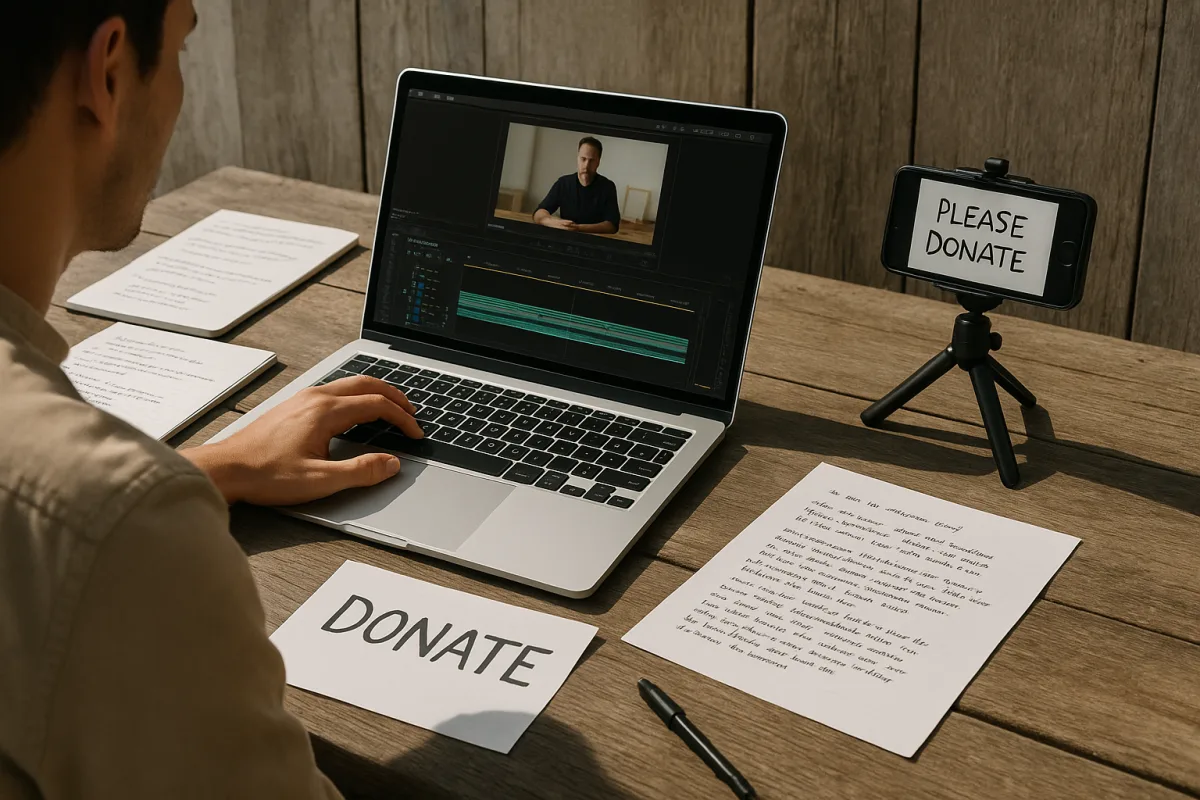
Start with the fundraising job, not the footage
The first problem is usually not editing. It is receiving a folder of interviews, event clips and B-roll with no agreement about what the viewer should do next. Decide whether this campaign needs awareness, engagement or conversion before opening the NLE. [1]
Awareness video can introduce the mission and the people affected. An appeal needs a donation action. A stewardship recap can show what a previous donation achieved. Those are different edits, and trying to make one 90-second video perform all three jobs produces a vague middle.
Write one sentence that defines the action: donate to fund a specific outcome, register, share, volunteer, or join a recurring-giving programme. The call to action should be direct, because clear CTAs are associated with stronger conversion. [3]
Then identify the audience’s existing knowledge. A warm audience in an email appeal may understand the organisation already. A cold Reels audience may need the first line to explain both the human problem and why it matters within seconds.
Build the donor into the timeline
A useful fundraising structure puts the donor in the role of person who can help resolve the problem. Fifty & Fifty recommends a hero’s-journey framing in which the donor is the protagonist, rather than positioning the nonprofit as the sole hero. [1]
That changes the paper edit. Do not begin with a logo animation, a history lesson or the executive director’s title card. Begin with the person, place or immediate consequence that makes the campaign necessary.
For a 90-second appeal, use a practical timing map: hook from zero to three seconds, story or problem from three to 45, solution and impact from 45 to 75, then the CTA from 75 to 90. [6]
The hook needs a concrete line or image that survives silent autoplay. “I had to choose between rent and medication” gives an editor something to cut against. “Our organisation has served the community since 1998” does not, unless the campaign is specifically about organisational history.
At the midpoint, show what changes when support arrives. Keep that evidence specific: a service delivered, a space opened, a family supported, or a programme result. Then cut to the action while the viewer still understands the stakes.
Protect authenticity in the interview edit
Fundraising teams often over-script contributors because they want clean messaging. That can make the result sound like a corporate testimonial. Simchon Productions recommends authentic, unscripted natural speech as a better route to trust than rehearsed narratives. [2]
In practical terms, record the prepared talking points, then keep the follow-up answer after the speaker relaxes. Let a useful hesitation remain if removing it makes the line sound manufactured. Cut repetition and uncertainty that obscure meaning, not every trace of real speech.
This is also where consent and dignity should shape the edit. Do not use the most distressing shot simply because it creates a stronger opening. If the subject’s story is carrying the appeal, preserve context and avoid cutting their words into a claim they did not make.
Transparency matters more than a polished corporate surface. Think Branded Media reports that authenticity can outperform high-budget production, and cites a 53 percent increase in donations associated with transparency. [6] That is not a guarantee for any individual campaign, but it is a reason not to grade genuine footage into something glossy and implausible.
Choose an editor based on the work, not the feature list
A nonprofit making regular social cutdowns needs a different tool from a team conforming multi-camera interviews and high-resolution originals. The prices below come from published roundups and vendor-oriented sources, not hands-on testing by this publication.
DaVinci Resolve 20 is free and offers professional-grade editing without watermarks or time limits, according to TechRadar. It suits teams that need a serious timeline and colour tools, but its depth can be more software than a first-time volunteer editor needs. [21]
Shotcut and Kdenlive are free, open-source options with 4K support, proxy editing and multi-track timelines. They suit budget-conscious teams that need a conventional desktop edit rather than a template-first social workflow. [22]
Movavi Video Editor 2026 costs $99.95 as a one-time purchase and is positioned as a user-friendly editor with AI-powered tools. It suits a small communications team producing straightforward fundraising updates without committing to a subscription. [23]
Adobe Premiere Elements 2026 costs $99.99 as a one-time purchase and targets beginner to intermediate users. It suits a team that wants more structure than a browser editor, but does not need the full professional Adobe application. [23]
Adobe Premiere Pro costs $275.88 per year and is the industry-standard professional option cited by Onset Engine. It suits an organisation working with freelance editors or larger post-production handoffs, where shared project expectations can matter. [24]
CapCut Pro costs $7.99 per month and is aimed at social-media editing. It suits quick vertical versions, captions and platform-led campaign work, not necessarily a long-term archive workflow with complex finishing requirements. [25]
Microsoft Clipchamp is included with Microsoft 365 plans and offers free 1080p editing, with premium tiers available. It suits organisations already paying for Microsoft 365 and making simple internal, social or campaign edits. [21]
Canva Video is a user-friendly option for branded social videos and motion graphics. The supplied research does not state a price, so do not budget from this guide alone. It suits teams that already build campaign graphics in Canva and need visual consistency. [25]
Agent Opus and Clipmesh are AI-powered services promoted for automating video creation for nonprofits and causes. Their supplied materials position them as ways to reduce editing skills and budget requirements, but provide no comparable price here. [13][14]
Automation can produce a fast first assembly, captions or social variants. It cannot decide whether an interview answer feels exploitative, whether a claim is adequately supported, or whether the donation ask arrives at the right emotional moment. Keep editorial review in the workflow.
Fix a slow timeline before buying hardware
A stuttering edit is commonly a media-management problem, not proof that the organisation needs a new workstation. High-resolution source formats are expensive to decode and store. MASV estimates that 6K Blackmagic RAW can consume about 900 GB per hour. [12]
Create proxies, which are lower-resolution copies linked to the camera originals. Edit with those files, then reconnect or switch back to originals for the final export. Properly managed proxies do not reduce final-output quality. [12]
This is particularly useful for interview-heavy appeals shot in 4K or 6K but delivered at 1080p. There is little sense making every volunteer scrub heavy camera files while finding the strongest 12 seconds of an answer.
Keep original and proxy filenames consistent, match audio channels, and preserve the folder structure after the project begins. MASV identifies those details as essential for reliable relinking. [12] Rename media late, and an hour disappears into offline-file repair.
For remote collaborators, send proxies and project files first, while keeping camera originals in a controlled archive. Proxy files are smaller and easier to transfer, which is the workflow benefit, not a special fundraising advantage demonstrated by donation data. [12]
Make separate versions before you lock picture
Do not treat a horizontal master as the campaign. Make it your source timeline, then create deliberate 9:16 and, where useful, square or 4:5 versions. Reframing after lock is where interviews suddenly lose eyes, text collides with platform controls, and logos become unreadable.
TikTok fundraising posts work best at 21 to 34 seconds in vertical 9:16, with trending audio recommended by the cited guidance. TikTok permits much longer uploads, but the research points to 30 to 60 seconds as the more effective fundraising range. [6][7]
Instagram Reels should also be vertical 9:16 and run 30 to 90 seconds, with captions enabled. [7] Build captions as editable text where possible, then burn them into the social export if the delivery workflow requires a guaranteed visible version.
For Facebook, keep the native upload under two minutes. [7] For YouTube, use two to five minutes when the campaign genuinely needs deeper mission or how-to context, while appeals and recaps should generally run 60 to 90 seconds. [7]
Email is less forgiving than a social feed. Keep the video under 90 seconds and use a still image that links to the hosted video, rather than assuming every email client will play embedded media reliably. [7]
Grade for credibility, then export for the connection people have
Correct exposure and white balance before adding a mood. Warm hues such as amber, gold, orange and restrained yellow can suggest intimacy, comfort and empathy. [17][18] They are useful for a community meal, mentoring or family-support story when they reflect the scene.
Cool blue, teal and grey treatments can communicate distance or melancholy, which may fit a story about isolation or loss. Use them cautiously. [18] A fashionable teal-and-orange look is not a fundraising strategy, even though complementary schemes can create visual tension. [18]
Protect natural skin tones and shadow detail, and avoid aggressive saturation or heavy effects. WavyVid’s grading guidance stresses consistency and subtlety because obvious manipulation distracts and can make footage feel fake. [19]
For general online delivery, export an MP4 using H.264, also called AVC. It remains the broadly supported codec choice for sharing and balances quality with compatibility. [8][11] Use 1080p rather than defaulting to 4K when the campaign does not need it. [10]
At 1080p and 30 fps, use roughly 5 to 8 Mbps for a high-quality master, 3 to 5 Mbps for a good general web version, and 1 to 2 Mbps only when file size matters for web or email delivery. [10] Use AAC-LC audio at 320 kbps or higher. [11]
H.265, or HEVC, can deliver similar quality with 40 to 50 percent better compression, but it has meaningful browser limitations, including a lack of native support in Firefox and Chrome desktop. [9] Use it only when you control playback compatibility, not as the default donation-page upload.
Finally, plan for the audience’s bandwidth. Streaming 4K needs about 25 Mbps, 1080p needs roughly 5 to 10 Mbps, and some rural or low-bandwidth viewers have less than 3 Mbps available. [26] Offer SD below that threshold and use adaptive streaming or a CDN on hosted pages where possible. [20][27]
Frequently Asked Questions
How do you edit a video to maximize fundraising donations?
Start by defining a single clear goal for the video, such as driving donations for a specific outcome. Structure the edit to position the donor as the hero who can change the outcome, not the organization. Use a timing map with a hook in the first 3 seconds, followed by the problem, solution, and a direct call to action near the end, ideally keeping the video between 60 and 90 seconds for appeals.
What are the best practices for editing nonprofit fundraising videos?
Focus on clarity of message and authenticity. Avoid overly scripted interviews; instead, use natural, unscripted speech to build trust. Tailor video length and format to the distribution platform, and prioritize clear audio, stable framing, and captions over high-end camera gear. Edit to maintain context and dignity, avoiding manipulative cuts that distort the subject’s story.
How can I create an effective call to action in fundraising videos?
Write one direct sentence defining the desired action, such as donating to fund a specific outcome. Place the call to action near the end of the video, after showing the problem and the impact of support, so viewers understand the stakes. Clear and straightforward CTAs are linked to stronger conversion rates.
What video formats and settings work best for fundraising campaigns?
Export videos as 1080p H.264 MP4 files with bitrates between 3 and 5 Mbps for most online platforms. Use a frame rate of 30 fps and AAC-LC audio codec at 320 kbps. Adjust video length and aspect ratio based on the platform: vertical 9:16 for TikTok and Instagram Reels, under 2 minutes for Facebook, and 60 to 90 seconds for YouTube appeals.
How do I maintain authenticity when editing interview footage for fundraising?
Preserve natural speech patterns, including useful hesitations and relaxed follow-up answers, rather than removing all imperfections. Avoid over-scripting or heavily polishing the footage to prevent sounding like a corporate testimonial. Respect the subject’s dignity by not using overly distressing shots or cutting their words out of context. Transparency and genuine storytelling often lead to higher trust and donation rates.
How we researched this
This article was assembled from 27 cited references.
Nothing here is based on hands-on testing. Where a figure or finding appears, it belongs to the source cited beside it, and the writing says so rather than implying otherwise. Every source is listed below so you can check it.
Sources
- Video Marketing for Nonprofits: Tools, Examples & Best Practices
- Mission Story Video Best Practices for Nonprofits - Simchon Productions
- Creating Powerful High-Impact Nonprofit Engagement Videos | Drive Impact & Inspire Change
- Video Storytelling for Non-Profits: 7 Steps to Captivate and Convert
- How to Create a Great Year-End Campaign Video on Any Budget
- How Nonprofits Use Video to Boost Donor Engagement
- Best Fundraising Videos: 10 Types + Examples (2026) | Zeffy
- Video Compression Settings Explained: CRF, Bitrate, Codec, and More
- Best Video Settings for Social Media: TikTok, Instagram & YouTube Guide 2026 | Squoosh.online
- Compress Video Without Losing Quality - Guide 2026
- Best Video Format for YouTube Uploads Explained (October 2026)
- The Ultimate Guide To Proxy Workflows For Enterprise - MASV™
- Nonprofit Video Maker
- Clipmesh for Nonprofits & causes — faceless video made for you · Clipmesh
- Chicago Nonprofit & Corporate Video Production | Brookssmedia
- Nonprofit Video & Photo Production Subscription | RiseWorks
- How Professional Video Editors Use Color Grading to Elevate Videos
- Colour grading in videography: a practical guide
- Color grading video: basics of exposure, saturation, and mood | WavyVid
- Understanding SD vs HD Resolutions: What’s the Difference? | Cloudinary
- Best free video editing software of 2026
- Best Free & Open Source Video Editors (2026) — No Watermark
- Movavi Video Editor 2026: An affordable and feature-packed non-linear video editor
- Video Editors Without a Subscription - Onset Engine
- Affordable Video Editing Tools SMBs Can Use in 2026 | 3L3C
- Video Streaming Quality: Bitrate & Resolution Impact
- Video optimization
Related Articles
Edit Video for Social Media: Tips on Formats, Length & Color
Learn how to edit video for social media with tips on formats, length, proxies, and color grading for optimal engagement and platform compatibility.
Edit Video for Educational Content
Learn how to edit video for educational content with tips on timelines, proxies, codecs, and color correction for engaging teaching videos.
Travel Vlog Video Editing: Workflow, Proxies & Colour Tips
Learn travel vlog video editing with tips on workflow, proxies, colour grading, and pacing to create engaging travel videos efficiently.
How to Edit Video for Online Courses: Best Practices
Learn how to edit video for online courses with tips on timelines, proxies, codecs, color correction, and lesson structuring for effective learning.