
Edit Video for Social Media: Tips on Formats, Length & Color
Learn how to edit video for social media with tips on formats, length, proxies, and color grading for optimal engagement and platform compatibility.
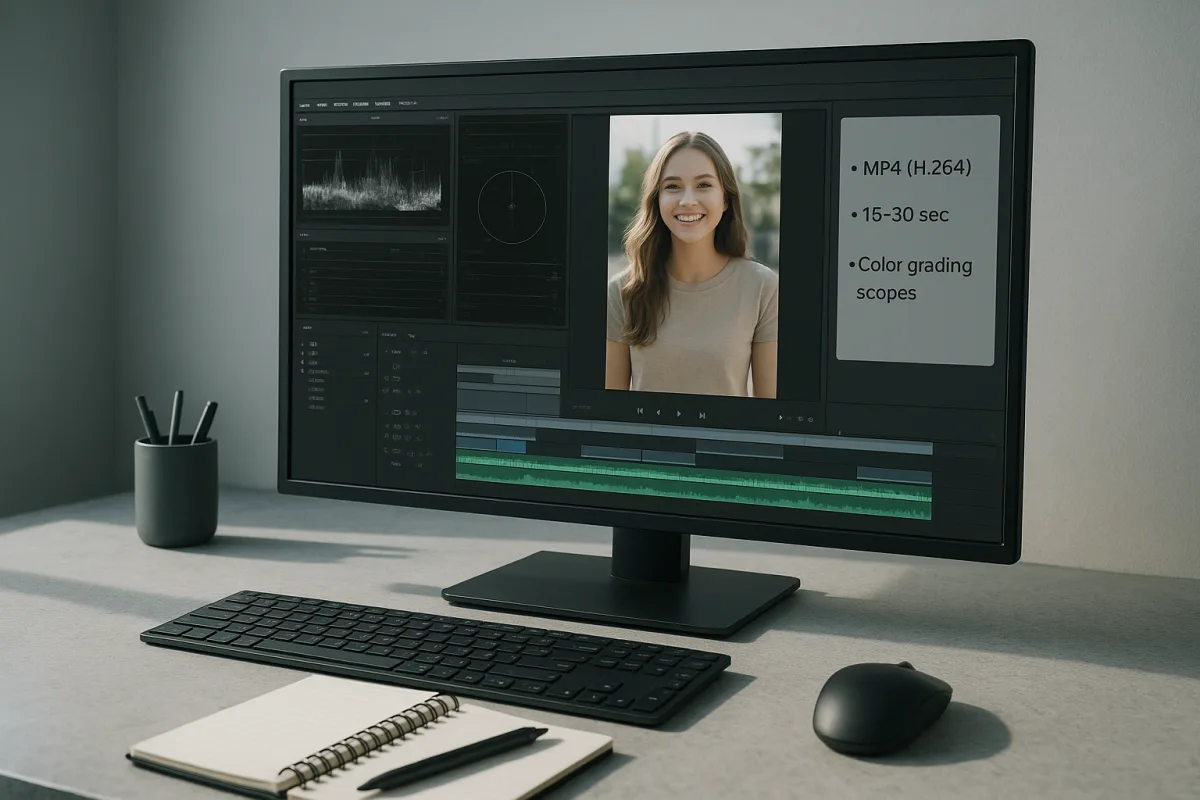
Start with the post, not the timeline
The first engagement mistake happens before the first edit. A team cuts a polished 16:9 film, then tries to crop it into vertical at the end. Faces lose headroom, product shots lose their point, and captions land under platform controls.
Decide the destination before making a sequence. TikTok, Instagram Reels, YouTube Shorts, Facebook Reels and Snapchat are built around 9:16 vertical video at 1080 by 1920, normally delivered as H.264 MP4 at 30 fps. [1][3]
That is not a universal social-media setting. Facebook Feed and LinkedIn favour either 1:1 or 16:9 at 1920 by 1080. Pinterest calls for a taller 2:3 frame at 1080 by 1620. X supports 16:9 landscape at 1280 by 720 or vertical 1080 by 1920. [1][3]
For standard YouTube, make a separate 16:9 version, 1080p or 4K. The research supports 30 to 60 fps there, while the short-form platform defaults cluster around 30 fps. Do not casually convert a 60 fps camera timeline to 30 fps at delivery. [1][3]
In practical terms, create named sequences before ingest: Vertical_1080x1920_30, Square_1080x1080_30, and Landscape_1920x1080_30, where those formats are needed. Clear sequence names and a planned folder structure prevent the wrong crop becoming the approved export. [14]
Keep camera originals, proxies, graphics, music, voiceover, exports and project files in separate folders. The research does not offer a magic timeline-bin structure, and neither will I pretend there is one. It does support organising folders and sequences before ingest. [14]
Find the opening before you make the edit pretty
Social platforms may allow long uploads, but their allowances are not editing targets. Instagram Reels can accept uploads up to 20 minutes, TikTok up to 10 minutes and YouTube Shorts up to three minutes, depending on how the clip is made and uploaded. [4][5]
Those limits vary between sources and platform workflows, particularly for in-app creation versus uploaded files. The consistent engagement guidance is much simpler: aim for 15 to 30 seconds when the job is a short-form post. [4][5]
Start by identifying the first moment that makes a viewer need the next second. That could be the result before the explanation, an unusually specific claim, a visible problem, or a question the clip answers. Do not spend the opening on an animated logo.
A weak or slow opening is repeatedly identified as an engagement killer, along with unclear storytelling and poor pacing. [15][19] On a deadline, the useful fix is not “make it more dynamic.” Trim the lead-in until the first spoken or visual beat earns attention.
Build the rough cut around one promise. If the post is about a colour correction, show the before-and-after early. If it is a process tip, demonstrate the result, then explain only the steps necessary to make it credible.
Watch for two opposite pacing failures. Long pauses, repeated setup shots and irrelevant B-roll drag a short clip. But cutting every fraction of a second can become choppy enough that viewers cannot follow the idea. Both errors reduce retention. [16][18]
Use cuts where information changes, not merely where a beat lands. A new shot should clarify the action, reset attention, reveal proof or move the argument forward. Flashy transitions are specifically cited as a common editing mistake, not a reliable engagement tool. [15][18]
Make captions part of the cut
Captions should not be a last export-stage chore. Current algorithm and editing guidance points toward dynamic, kinetic captions, while mobile-first viewing makes readable text useful even when audio is unavailable or inconvenient. [20][21]
That does not mean animate every word. Put captions on the spoken rhythm, emphasise only the words carrying the point, and keep the type large enough for a phone. If movement obscures the sentence, the motion is not helping retention.
Leave room at the top and bottom of a vertical image. Platform interface elements, account names, descriptions and buttons can cover text or the critical part of a shot. The supplied research does not specify a universal safe-area pixel measurement, so do not invent one.
Instead, inspect an actual uploaded draft on the intended platform. If the first line of a caption is trapped behind interface graphics, revise the layout in the timeline. This is faster than discovering the mistake after the post has already been published.
Fix performance with proxies, not wishful thinking
High-resolution originals can make simple social edits feel slow. 4K and 6K footage are common reasons a timeline stutters, audio drifts during rough cutting, or an editor begins making bad pacing decisions just to avoid playback delays. [12]
Use 1080p proxies for those high-resolution sources. That resolution is commonly recommended for proxy editing because it is light enough to improve playback while retaining enough image detail to judge framing, captions and basic shot selection. [12][13]
The proxy codec is NLE-specific. ProRes Proxy is the recommended option in workflows for Adobe Premiere Pro, Apple Final Cut Pro and DaVinci Resolve. Avid workflows generally use DNxHR LB instead. There is no useful one-codec rule for every editor. [12][13]
In Premiere Pro, Adobe’s own documentation covers creating and attaching proxies. [25] The exact menu path can change between releases, so check the documentation for the installed version rather than following an old screenshot from a tutorial.
Store active projects and proxy media on fast local NVMe storage, then move completed projects and originals to external archive storage. This is a workflow recommendation supported by the research, not a claim that every social editor needs a new workstation. [12][14]
If you only have a few clips and playback is already smooth, proxy generation may cost more time than it saves. Use it when high-resolution media, multicam work, effects or a slow storage path is actually interrupting editorial decisions.
Before export, switch proxy viewing off or verify that the NLE will render from full-resolution originals. Then spot-check reframed shots, fine text and graded images. Proxies help you edit quickly, but they are not where you judge final compression damage.
Grade for a compressed phone screen
Social colour needs restraint. Grade in Rec.709 SDR, prioritise accurate skin tones, and avoid assuming the contrast that looks dramatic on a calibrated monitor will survive a bright mobile OLED screen. [11]
Lift the blacks slightly instead of crushing them. Fine near-black detail is vulnerable to platform compression, and aggressive shadow contrast can turn an intentional grade into noisy, blocked-up areas on a phone. [11]
The same applies to saturation. Push it too far and skin can look artificial, coloured edges can break apart under compression, and the image may feel harsher than intended. Conservative saturation is the explicit mobile-focused recommendation. [11]
Watch smooth gradients closely, particularly skies, walls and studio backdrops. Compression is more likely to reveal banding or artifacts there. Avoid building a look around subtle shadow texture that will disappear after the platform recompresses the file. [11]
Check the grade on multiple phone screens before publishing where possible. This is especially important for a thumbnail or cover frame, which needs readable faces, clear tonal separation and a legible subject at a small size. [11]
Export the version the platform can keep intact
For most social deliveries, export an MP4 using H.264 video and AAC stereo audio at 128 to 256 kbps. This remains the broad compatibility baseline across the listed platforms. [6][7]
For 1080p, use a bitrate appropriate to the destination rather than exporting one oversized file for everything. The research recommends 10 to 15 Mbps for YouTube, 5 to 8 Mbps for Instagram, TikTok and X, and 4 to 6 Mbps for Facebook. [7][8]
A general 1080p range of 8 to 15 Mbps is also supported, but platform-specific settings are more useful when you are making distinct exports. [7] Uploading far more data does not prevent the platform from recompressing your work.
AV1 is technically more compression-efficient than H.264, and YouTube may use H.265 or AV1 for 4K delivery. [1][6] But AV1 adoption across social platforms remains limited and unsettled in 2026, so H.264 is the safer default for broad publishing.
Keep audio consistent between shots. Poor or inconsistent sound is a documented editing mistake that damages engagement. [15][19] Match dialogue levels, remove obvious distracting noise where possible, and do not let a music track bury the words that carry the clip’s point.
Publish, then edit the next one from the evidence
In 2026, likes and follower counts are not enough to judge whether the edit worked. Current algorithm guidance gives greater weight to watch time, rewatches, shares and saves, alongside authenticity and original content. [20][22]
Review where viewers leave, which posts are saved or shared, and whether the hook matches the promise of the finished clip. If exits cluster before the explanation begins, the usual repair is a shorter setup, not a more elaborate transition.
Make changes one variable at a time when you can. Test a stronger opening, a clearer caption treatment, a different crop or a shorter runtime, then compare retention and shares. Otherwise, analytics tell you that something changed, not what fixed it.
AI-assisted editing tools are part of the 2026 workflow discussion, particularly for speed and captioning, but the evidence does not yet quantify whether they improve creative quality. [22][23] Use them to remove repetitive work, then make the editorial choices yourself.
Do not invent seasonal rules or regional engagement assumptions. The supplied research found no specific evidence for seasonal editing strategies or meaningful regional differences in common mistakes. A clean platform-specific workflow and measured analytics review are better foundations than folklore.
Frequently Asked Questions
How do I edit video for social media platforms?
Begin by deciding the destination platform before creating your sequence to avoid cropping issues. Create separate sequences named for each aspect ratio and resolution needed, such as vertical 1080x1920 at 30 fps for TikTok or square 1080x1080 for Facebook Feed. Organize your project folders clearly for camera originals, proxies, graphics, and exports. Use proxies at 1080p to edit high-resolution footage smoothly, then reconnect to originals for final export.
What are the best video formats for social media?
The safest and most widely supported format is MP4 with the H.264 codec and AAC audio. While AV1 offers better compression, its platform support is still uneven in 2026, so H.264 remains the dependable choice. Use 30 fps for short-form videos and 30 to 60 fps for standard YouTube content.
How long should social media videos be?
Although platforms allow longer uploads—up to 20 minutes on Instagram Reels and 10 minutes on TikTok—the optimal length for engagement is consistently 15 to 30 seconds for short-form posts. Longer videos rarely improve watch time or shares, so focus on a strong, engaging opening within this timeframe.
What aspect ratios work best for social media videos?
Vertical 9:16 (1080x1920) is ideal for TikTok, Instagram Reels, YouTube Shorts, Facebook Reels, and Snapchat. Facebook Feed and LinkedIn prefer 1:1 or 16:9 (1920x1080), while Pinterest favors a taller 2:3 ratio (1080x1620). X (Twitter) supports both 16:9 landscape (1280x720) and 9:16 vertical (1080x1920). Tailor your exports to the specific platform requirements.
How do I use proxies to edit high-res videos for social media?
Create 1080p proxy files from your 4K or 6K originals to speed up editing without needing a more powerful computer. Proxy codecs vary by editing software: ProRes Proxy is common for Premiere, Final Cut, and DaVinci Resolve, while DNxHR LB is preferred for Avid. Edit using proxies, then reconnect to the original high-resolution files for final export.
How we researched this
This article was assembled from 25 cited references.
Nothing here is based on hands-on testing. Where a figure or finding appears, it belongs to the source cited beside it, and the writing says so rather than implying otherwise. Every source is listed below so you can check it.
Sources
- Social Media Video Specs 2026: TikTok, Reels, Shorts | Multi Upload Tool
- Best aspect ratios for video in 2026 | Convertitive
- Social Media Video Specs for Every Platform | Sprout Social
- How Long Should a Social Media Video Be? (By Platform) | Vela
- Social Media Video Length Limits: Every Platform (2026) | BulkPublish
- Best Video Format for Social Media in 2026
- Video Compression Settings for Social Media in 2026 | FileMuncher Blog
- Best Video Compression Settings for YouTube in 2026
- Best Video Formats for Social Media in 2026 (Complete Guide) | FluidConvert
- Best Video Settings for Social Media: TikTok, Instagram & YouTube Guide 2026 | Squoosh.online
- Color Grading for Social Media: How Your Videos Should Look on Mobile | Clouds Agency
- Proxy workflows: editing 4K footage without a monster machine | Miami Video Services Blog
- Premiere Pro proxy editing without filling your SSD (2026) | Sanbila
- Video Editing Workflow: How to Create an Efficient Process
- Common Video Editing Mistakes Beginners Should Avoid | Bidmonline
- 10 Video Editing Mistakes to Avoid in 2026 (And How to Fix Them)
- 9 Social Media Marketing Mistakes Killing Your Reach in 2026 — Pacewalk
- 8 Common Video Editing Mistakes (Pros Always Avoid in 2026)
- Video Editing Mistakes That Kill Engagement
- Social Media Algorithm Changes in 2026 Sotrender Blog
- Video Editing Techniques That Increase Engagement 2026 | Reelkraft Media
- 5 Video Editing Trends That Will Define 2026 | SmoothyEdit Blog
- The Biggest Video Editing Trends of 2026 (And How to Use Them) — Vortex Xcel Blog
- Best Video Formats, Codecs & Resolutions for Every Social Platform in 2026 | Snipr AI
- Create proxies in Premiere | Premiere
Related Articles
Travel Vlog Video Editing: Workflow, Proxies & Colour Tips
Learn travel vlog video editing with tips on workflow, proxies, colour grading, and pacing to create engaging travel videos efficiently.
How to Edit Video for Online Courses: Best Practices
Learn how to edit video for online courses with tips on timelines, proxies, codecs, color correction, and lesson structuring for effective learning.
Video Editing Techniques for Corporate Videos
Learn effective video editing techniques for corporate videos, including timelines, proxies, codecs, and color grading best practices.
Edit Video for Educational Content
Learn how to edit video for educational content with tips on timelines, proxies, codecs, and color correction for engaging teaching videos.