
Common Mistakes in Video Editing
Learn common mistakes in video editing including timeline setup, frame rate mismatches, and timecode errors to improve your post-production workflow.
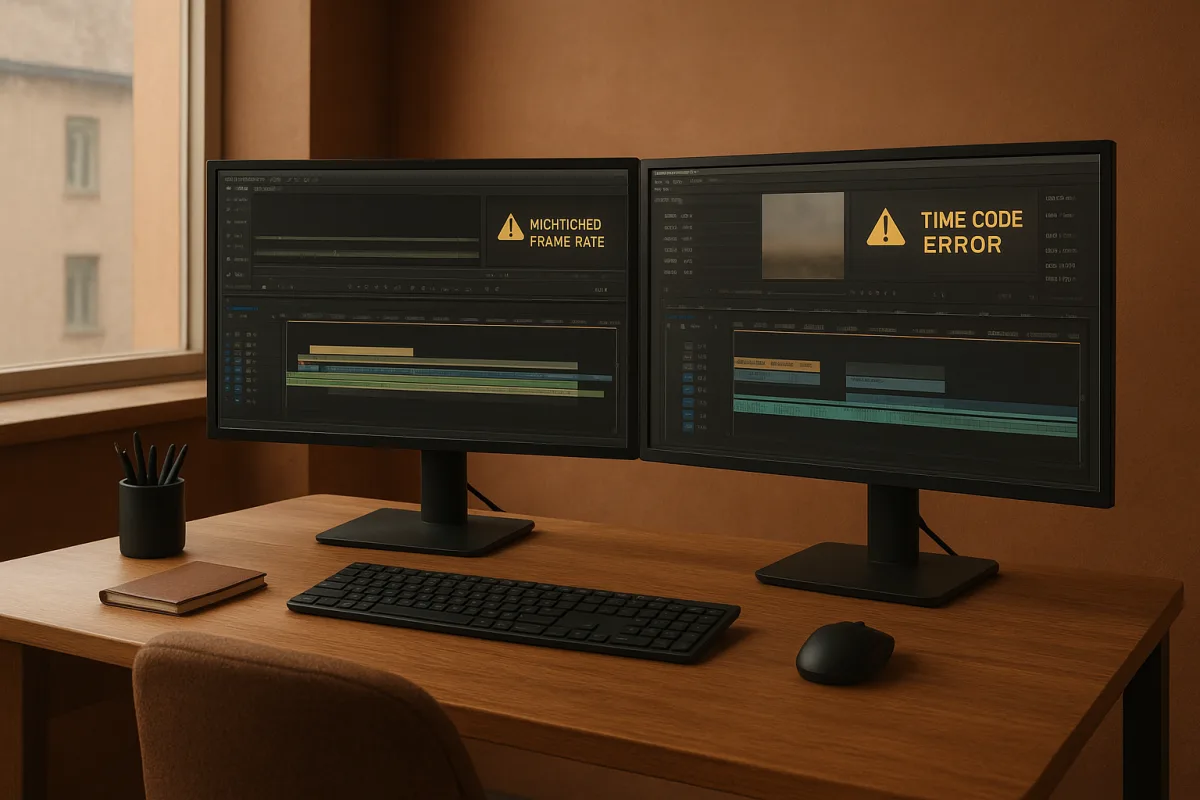
The mistake behind many editing mistakes: treating frame rate as a clip setting
The costly editing mistake is not usually picking the wrong transition or missing a keyboard shortcut. It is building a timeline before deciding what its timebase is supposed to be.
A timeline is a timing system. Every edit point, audio sample relationship, caption cue, speed change and export frame is measured against its chosen frame rate and timecode rule.
Editors often inherit a folder containing 23.976, 24, 25, 29.97 and 59.94 fps media. The easy response is to make a sequence from the first clip opened.
That works only if the first clip represents the required delivery standard. It is a gamble when the job has material from several cameras, archive footage, social versions or a broadcaster specification.
The practical fix is dull but effective: establish delivery frame rate, raster, aspect ratio and timecode requirements before the first meaningful assembly. Those choices become the project’s operating rules.
This is deliberately NLE-agnostic advice. Adobe Premiere Pro, Avid Media Composer, DaVinci Resolve and Final Cut Pro all expose sequence or project settings differently, but none can make incompatible timebases disappear.
Why similar-looking frame rates are not interchangeable
The most common confusion is between 23.976 fps and 24.00 fps. They look close enough to invite shortcuts, but they do not advance at the same rate over time. [2]
Twenty-four fps means exactly 24 frames every second. The fractional rate commonly labeled 23.976 is more precisely 24 divided by 1.001, a legacy relationship created by television timing. [12]
That difference is small per second and very visible over a long program. If picture follows one rate while audio or a separately timed deliverable follows another, sync can drift progressively. [2]
This is why an interview can look fine at the start and be plainly wrong near the end. It is not necessarily a bad edit, a slow computer or a corrupt export.
The outcome depends on what happened to the media before it arrived. A proper frame-rate conversion changes the timing relationship deliberately, while a mislabeled file or casual reinterpretation can merely hide the mismatch.
An editor also needs to know whether a camera recorded variable frame rate, although we found no published settings or remedies for that case. It is better not to pretend every sync problem has the same cause.
For the documented 23.976-versus-24 problem, the safe decision is straightforward: identify the true source frame rate, set the timeline to the intended master rate, then convert exceptions purposefully.
Do not change clip interpretation just because the motion appears acceptable in a short test. Verify duration against a known reference, especially when separately recorded sound, subtitles or long-form program timing are involved.
Drop-frame timecode is about the clock, not dropped pictures
Another trap is the phrase drop-frame. Drop-frame timecode does not remove video frames, reduce picture quality or create a choppy image. It changes how certain frame numbers are counted.
At 29.97 fps, a program runs slightly slower than a clock if timecode simply counts 30 numbered frames every second. Over a long duration, the displayed timecode no longer agrees with real elapsed time. [2][12]
Drop-frame timecode solves that counting discrepancy by skipping selected timecode numbers at prescribed intervals. The actual video remains intact, but the timecode count stays aligned with clock time. [2]
This matters to more people than the assistant editor. Producers reading a runtime, caption vendors receiving cue lists, broadcasters checking program duration and online finishing teams all rely on time references meaning what they say.
Non-drop-frame timecode has valid uses, particularly where a production needs frame counting rather than clock-accurate program timing. The mistake is mixing the two conventions without declaring which one the project uses. [2]
A sequence may appear to play correctly while its edit decision list, caption timing or duration report disagrees with another department’s version. That is the sort of late-stage discrepancy that consumes an afternoon.
Before editorial starts, write the timecode convention into the project notes and delivery checklist. It is unglamorous documentation, but it prevents a producer’s 30-minute runtime from becoming a different number in another system.
The timeline start time is part of the specification
Starting every sequence at 00:00:00:00 seems tidy, yet it can complicate a traditional delivery workflow. EditorVault identifies this as a timeline setup mistake because there is no pre-roll space for required elements. [3]
Color bars, tone, slates, countdowns, leader or other technical material may need to precede program start. If the edit starts at zero, those elements require restructuring or an awkward workaround later.
Not every web project needs bars and tone. The point is not to import broadcast habits blindly, it is to reserve appropriate room when the delivery specification calls for timed material before the program.
The same principle applies to handles. The supplied research does not specify a universal handle duration, so there is no honest single number to recommend here. Confirm it with the client or finishing facility.
Mixed rates require a decision, not optimism
Mixed-frame-rate timelines are normal now. A project may combine a 23.976 fps principal camera, 29.97 fps screen recording, 25 fps archive clip and 59.94 fps material intended for slow motion.
The mistake is dropping all of them into one sequence and assuming the NLE’s automatic behavior is a creative decision. It is merely a default conversion method, and defaults are not delivery specifications.
Frame-rate mismatches can produce judder, repeated frames, discarded frames or motion that feels subtly wrong. FileMender identifies poor conversion and resolution mismatches as recurring broadcast-delivery errors. [13]
For a 25 fps PAL source, there is an extra historical issue. Converting film-originated 24 fps material to 25 fps can create the familiar 4 percent PAL speed-up effect. [12]
That speed change affects duration and, unless audio is processed appropriately, can affect pitch. It is not something an editor should discover after music, narration and captions have been approved.
Regional standards still matter despite streaming’s broad support for many frame rates. MpegFlow notes the continuing importance of fractional video rates, while broadcast delivery remains dependent on the relevant network’s required format. [12][13]
ATSC 3.0 can accommodate several frame rates, including 24, 30 and 60 fps, with formats reaching 3840 by 2160 in 16:9. That flexibility does not mean every broadcaster accepts every combination. [13]
Ask for the destination specification, not a vague instruction to make it “broadcast quality.” A 4K master at the wrong frame rate, raster, aspect ratio or color space can still fail delivery. [13]
Proxies must preserve the timing contract
Proxies are often treated as a performance setting. They are more accurately a second representation of the same edit source, made lightweight enough that the editorial system can respond in real time.
That representation has to preserve the timing contract. Proxy files should match the original footage’s frame rate, otherwise sync and edit relationships can become unreliable when switching back to full-resolution camera media.
For most proxy workflows, 1080p is the preferred working resolution, while 720p is a reasonable compromise where storage is constrained. H.264, ProRes Proxy and DNxHR LB are common choices with different trade-offs. [8]
H.264 proxies are widely compatible and can be relatively small. ProRes Proxy prioritizes an easier editing format and higher proxy quality, while DNxHR LB is commonly used as a balance between quality and efficiency. [8]
There is no universal best proxy bitrate. The research supports different ranges based on resolution and codec, which is exactly why copying another editor’s preset without considering the project is a workflow mistake.
The useful test is whether the proxy supports accurate editorial judgment. It must play smoothly, remain in sync, show enough image detail for the task and relink consistently to the correct originals.
This is also where organization matters. Clear file names, intact folder structures and tested relinking are more valuable than shaving a little more space from a proxy. Disorganized media makes retrieval and recovery harder. [16]
Codec choice affects the edit before export day
A common misconception is that modern delivery codecs are automatically good editing codecs. H.264, H.265 and AV1 can be efficient for distribution, but efficiency in file size is not the same as efficiency on a timeline.
Highly compressed codecs can introduce artifacts and make accurate color assessment harder. More advanced codecs improve compression efficiency, but can require substantially more encoding work. [5][6]
The research briefing notes that x265 encoding can be five to ten times slower than x264 in some circumstances. Actual results depend heavily on hardware acceleration, which remains uneven for newer formats including H.265 and AV1. [6][7]
That means a slow timeline is often a codec workflow problem rather than evidence that an editor needs a new workstation. Camera originals may simply be poorly suited to repeated decoding, effects processing and scrubbing.
Intermediate codecs such as Apple ProRes and Avid DNxHR are generally better suited to editing and finishing, while H.264 and H.265 are more commonly appropriate for final delivery. [7][8]
The sensible approach is not to transcode every project automatically. Use proxies or intermediates when original camera codecs prevent reliable playback, then preserve the originals for conform and final export.
Build checks into the timeline, not the final export
Small timeline errors multiply as a project grows. Gaps between clips can create unintended black frames, and edits made on the wrong track can leave dialogue, titles or picture elements misplaced. [3][4]
These are not glamorous failures, but they are exactly what gets missed after a long session of fixing more interesting problems. A clean track layout and descriptive labels make them easier to spot. [3]
Audio needs the same discipline as picture. Ignoring sync and levels can leave dialogue misaligned or difficult to understand, even when the visual edit is strong. [4]
Before locking, review the timeline at full duration with attention to starts, ends, black frames, speed changes, caption boundaries and audio sync. Then check the sequence settings against the actual delivery specification one more time.
That final check is where editors avoid the expensive versioning mistake. A project can be creatively approved and still be technically wrong because its fundamental timing rules were never established.
Frequently Asked Questions
What are the most common mistakes in video editing timelines?
Common timeline mistakes include mixing drop-frame and non-drop-frame timecode, confusing similar frame rates like 23.976 fps and 24.00 fps, starting timelines at 00:00:00:00 without considering elements like color bars, leaving gaps between clips, poor timeline organization, and editing on wrong tracks. These errors can cause sync issues, misplaced clips, and inefficient workflows.
How do frame rate mismatches affect video editing?
Frame rate mismatches, such as confusing 23.976 fps with 24.00 fps, cause audio and video to drift out of sync over time because these rates advance at slightly different speeds. This can result in interviews or long programs appearing fine initially but noticeably out of sync near the end, even if the clips play normally in short tests.
What is drop-frame timecode and why is it important in editing?
Drop-frame timecode is a counting method used primarily for 29.97 fps video to keep timecode aligned with real clock time by skipping certain frame numbers at intervals. It does not drop actual video frames or affect picture quality. Using drop-frame timecode is important when delivery or broadcast specifications require clock-accurate timing to avoid discrepancies in runtime and cue lists.
Why should I lock the delivery frame rate before editing?
Locking the delivery frame rate before editing establishes a consistent timing system for the entire project. It ensures that the sequence, proxies, and conversions conform to the intended standard rather than letting each camera file dictate the timeline, which can prevent sync drift and other timing errors in multi-camera or mixed-source projects.
How can mixed frame rates cause problems in video projects?
Mixed frame rates in a project can lead to progressive sync drift, where audio and video gradually fall out of alignment. This happens because different frame rates advance time at different speeds, and without proper conversion or timeline settings, the final edit may have timing errors that become more noticeable over longer durations.
How we researched this
This article was assembled from 17 cited references.
Nothing here is based on hands-on testing. Where a figure or finding appears, it belongs to the source cited beside it, and the writing says so rather than implying otherwise. Every source is listed below so you can check it.
Sources
- Making Video Quality Assessment Models Sensitive to Frame Rate Distortions
- 5 Common Timecode Mistakes - Sync Drift, Frame Rate Errors & More | TC-Calc
- Video Timeline Basics | EditorVault
- Top 10 Editing Mistakes to Avoid - Videomaker
- 10 Post-Production Mistakes That Kill Video Qualitys
- Comparison Table: MPEG-2, H.264, H.265, VP9, AV1, VVC
- Video Transcoding at Scale, Codecs, Pipelines & Strategies | VideoAssetManagement
- Understanding Video Codecs: H.264, ProRes, and Beyond - GrabFootage Blog
- Why do the colors look off in my video?, CutScore
- Mastering Color Grading: Avoid Common Editing Mistakes
- Why Do My Skin Tones Look Unnatural After Editing (September 2026) Complete Guide
- Frame rate, 24, 30, 60 fps and the fractional rates that broke video · MpegFlow
- "How to Fix Video Resolution Mismatch for Broadcast" | FileMender Blog
- YouTube Upload Specs, PostProduction.com
- The 3-2-1 Backup Strategy Every Post-Production Team Needs | Clouds Agency
- Top Mistakes to Avoid When Managing Digital Media | Omni Media Tools
- Stop Paying Hot Storage Prices for Cold Media, A Real Archive Strategy for Post in 2026 | PostForward
Related Articles

Video Editing Codec Mistakes to Avoid for Smoother Workflows
Learn key video editing codec mistakes to avoid and improve your workflow with proxies, timelines, and color management tips.
Video Editing Workflow: How to Create an Efficient Process
Learn how to create a video editing workflow covering timelines, proxies, codecs, and color grading for smooth post-production.
Post Production Budgeting for Video Editing
Learn how to create a post production budget for video editing, covering labor, proxies, codecs, color grading, and delivery requirements.
Fix Color Grading Mistakes: Tips for Accurate Video Grading
Learn how to fix color grading mistakes with tips on exposure, white balance, proxies, and shot matching for accurate video color correction.