
What Is B-Roll and How to Use It in Video Editing
Learn what is b-roll and how to use it effectively to enhance storytelling and improve your video edits.
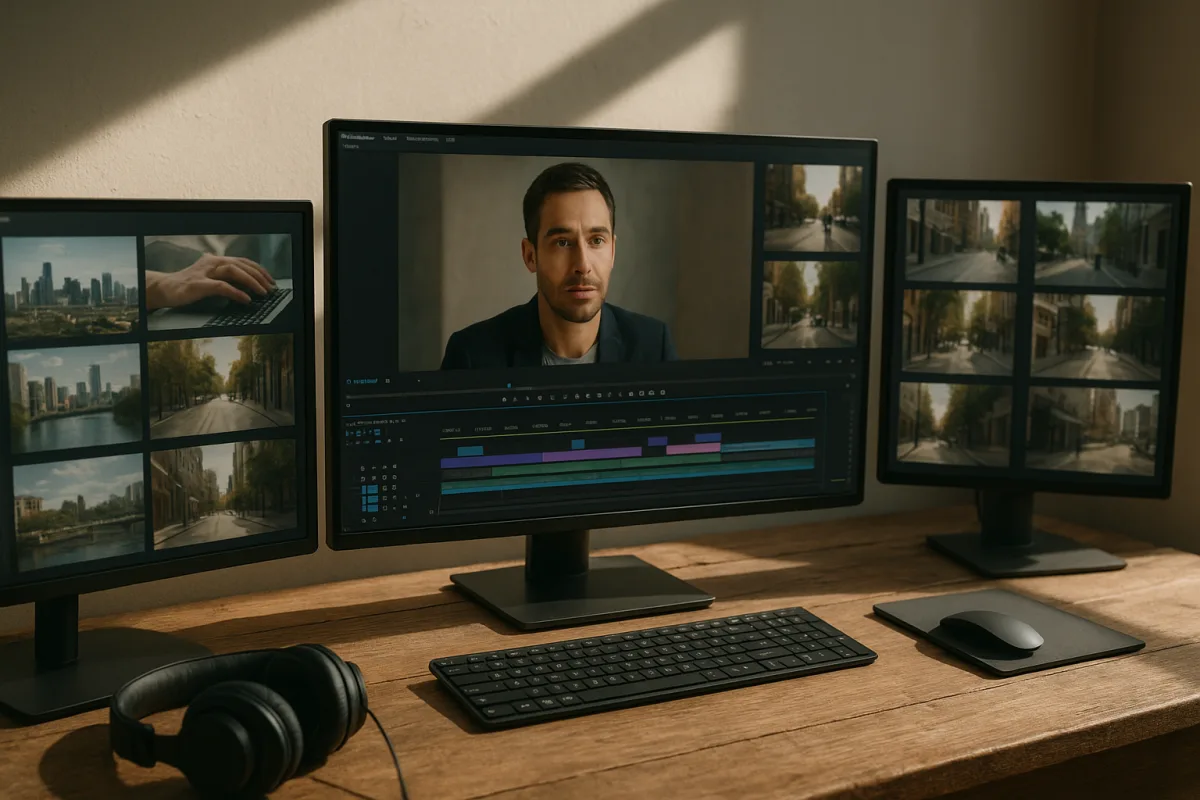
B-Roll Is Edit Coverage: How Supplemental Shots Make a Story Watchable
B-roll is the footage that lets an edit breathe
A-roll is the primary narrative material. It is the interview, dialogue, presenter piece, voice-led scene, or action that carries the essential information. B-roll is supplementary footage placed around that material to provide context, emphasis, variety, or a cleaner transition. [1][2]
The names come from linear film editing, where editors worked with separate rolls of material and cut between them. Digital timelines removed the physical rolls, but not the need they represented: an editor still needs visual material to cover cuts and show what the story means. [19]
That last point matters. “Supplementary” does not mean unimportant. A-roll tells the audience what happened or what someone thinks. B-roll helps them understand where they are, what is being discussed, what it feels like, and why the information deserves attention. [3][6]
The most useful way to think about B-roll is as edit coverage. It is the material that gives you options when the A-roll has a jump cut, runs too long visually, needs proof, or mentions an object, place, process, or person the audience should see.
The central mechanic: a cutaway changes what the viewer sees, not what the story says
A standard interview edit exposes a practical problem. Remove a pause, repeated phrase, cough, or weak sentence, and the speaker’s body position and expression may jump. The audio is better, but the visual cut announces itself.
A B-roll cutaway hides that discontinuity. Keep the selected interview audio running, cut the picture to a relevant shot, then return to the speaker when the next thought begins. The story remains continuous because the audience hears a single uninterrupted idea.
This is not a trick for concealing bad work. It is normal editorial grammar. The cutaway gives the audience information while allowing the editor to shape speech into a clear, efficient sequence. [3][4]
For example, an interview subject says, “We found the fault during the final inspection.” Staying on their face communicates testimony. Cutting to hands checking a component, a close-up of the defect, or a wide shot of the inspection area makes the sentence concrete.
The choice determines the outcome. A generic shot of an office may fill time, but it does not support “final inspection.” A shot of the checklist may be closer, yet still fail if the specific fault is the story. The best cutaway answers the narration.
That is why B-roll improves storytelling rather than merely making a video more dynamic. It links spoken abstraction to visible evidence. In documentary work, it can establish location and observed reality. In a commercial, it can show use, texture, or benefit. In narrative film, it can direct attention to a meaningful action or object. [13][14]
It also controls emphasis. Hold on a person explaining a difficult event and the audience reads their expression. Cut to a damaged photograph, an empty room, or a precise detail at the right moment, and the edit asks the viewer to consider that visual fact.
Plan B-roll against the script, not against a vague idea of “cinematic footage”
The costly B-roll problem is usually workflow, not camera capability. A crew shoots attractive material without connecting it to the story, then the editor has plenty of files but no clean answer for the line that needs covering.
Start with the A-roll script, interview questions, treatment, or rough narration. Mark the nouns, actions, locations, claims, and transitions that viewers need to see. Those marks become a shot list, not a wish list.
If a speaker mentions a workshop, the list may require an exterior establishing shot, a medium view of work underway, close-ups of tools, and an insert of the relevant measurement. Each framing level performs a different editorial job.
An establishing shot orients the viewer. Detail shots reveal texture, evidence, or process. Insert shots isolate a specific object, screen, hand movement, document, or control. These are not interchangeable categories, and collecting all three gives the edit room to breathe. [3][15]
The research guidance suggests establishing shots of roughly two to four seconds and detail shots of three to ten seconds. In the final cut, the duration depends on pacing, but the camera should roll long enough to give an editor stable handles before and after the useful action. [5][7]
A practical target is to capture at least five times the B-roll duration you expect to use. If a two-minute interview package may need 20 seconds of cutaways, plan for at least 100 seconds of genuinely varied, relevant coverage. [5][7]
That five-times figure is not a licence to shoot endlessly. It accounts for the normal losses: a take begins or ends shakily, autofocus hunts, a person looks at camera, an action happens too quickly, or the best framing does not fit the line after the edit changes.
Shoot for edit points, not only for single beautiful frames
B-roll works best when it gives the editor choices. Shoot a wide, medium, and close version of an action where possible. That variation lets an edit move from location to activity to detail without repeating the same visual beat. [12][15]
Use rule-of-thirds placement where it serves the frame, and leave sensible negative space if titles or graphics may need it. Subtle camera movement can add life, but movement needs a clear start and finish. A slow, controlled push is more useful than a pan that never settles. [12][16]
Soft directional lighting can separate a subject or object from the background and keep attention where it belongs. More importantly, the lighting should match the scene’s established look. A beautifully lit insert can still fail if it appears to come from another production. [15][17]
Record enough before and after the action. If someone opens a door, do not stop the instant the door moves. Hold the closed-door frame, capture the opening, then hold the new composition. Those extra seconds create trim room and make sound or picture edits less brittle.
The same applies to “nothing happening” shots. A clean five-second view of a storefront, desk, road, or person listening can be more useful than a rushed clip with constant reframing. Editors need stable moments in which to place a cut.
Duration is pacing, not a fixed rule
Most B-roll clips in an edit run about two to five seconds. That range is a useful default because it gives viewers enough time to identify an image without letting a supporting shot become a detour from the main point. [20]
Short-form social video often moves faster, with shots around 1.5 to three seconds. A fast sequence can maintain attention, but cutting simply because a timer has expired produces visual noise rather than momentum. [11]
Documentaries and feature-style work can hold B-roll for five to ten seconds when the shot needs observation, atmosphere, or emotional weight. The research does not support a universal ideal length, and advice differs slightly by format and pacing. [5][20]
The editorial question is simple: has the viewer received what this shot needs to communicate? If the answer is yes after two seconds, move on. If the shot contains an unfolding action or lets the audience register a place, let it stay longer.
Avoid cutting away from a speaker on every sentence. Constant B-roll can reduce a person to background audio and flatten a moment that should play on their face. Use it where the picture adds something the A-roll cannot. [10][18]
Keep the technical pipeline consistent
Visual mismatch is one of the quickest ways to make B-roll feel bolted on. If the A-roll is 25 fps and the cutaway is 30 fps, motion may look different. Resolution, exposure, white balance, lens character, and colour all affect whether the cut feels intentional. [12][13]
For 2026 post-production workflows, ProRes 422 is a sensible editing codec where storage and recording options allow it, because it is designed for efficient, high-quality editing. H.264 and H.265, also called HEVC, are commonly used for delivery and proxy workflows. [9]
There is a storage cost. The research brief estimates 4K ProRes 422 at roughly 3 to 5 GB per minute, while 1080p H.264 is roughly 100 to 150 MB per minute. Those figures explain why “shoot more B-roll” also requires a realistic media plan. [9]
Do not read that as a mandate to transcode every project into ProRes. The right approach depends on the acquisition format, storage budget, turnaround, and NLE. The supplied research does not provide detailed evidence about proxy workflows or colour grading specifically for B-roll versus A-roll.
What it does establish is the result you are trying to avoid: a cutaway with different frame rate, colour, or resolution distracts from the narrative. Solve consistency at capture where possible, then use a disciplined timeline workflow to maintain it. [12][13]
Common failures are easy to recognise in the timeline
The first failure is insufficient coverage. An editor can hide one jump cut with one relevant insert. They cannot build a varied sequence from one wide shot of a room and three nearly identical close-ups.
The second is generic footage. A coffee pour, keyboard close-up, or skyline may look competent, but it earns its place only if it helps establish the actual person, setting, action, or idea at that moment. [10][14]
The third is style drift. B-roll shot on another day, another camera, or under radically different lighting may still be usable, but it needs to be judged against the A-roll, not in isolation. Matching is storytelling work, not cosmetic fussing.
The fourth is ignoring sound. B-roll often covers the picture while A-roll audio continues, but natural sound can also establish a space or make an action believable. Decide which audio leads each moment instead of letting room tone, music, and effects compete. [13][18]
Finally, do not confuse more B-roll with better editing. The point is not to avoid a talking head at all costs. The point is to show the audience the right thing at the right time, then return to the primary performance when it carries the story better.
Frequently Asked Questions
What is b-roll in video editing?
B-roll is supplemental footage that supports the primary narrative material, known as A-roll. While A-roll includes interviews, dialogue, or main action, B-roll provides context, visual variety, and helps clarify or emphasize points made in the A-roll. It originated from linear film editing where separate rolls of footage were cut together.
How do you use b-roll effectively?
Use B-roll as edit coverage to solve pacing, continuity, or explanation issues rather than as decorative filler. Build the A-roll edit first, then insert B-roll cutaways that visually support the narration or cover jump cuts. The best B-roll answers the story’s needs by showing relevant places, actions, or details mentioned in the audio.
Why is b-roll important in storytelling?
B-roll enhances storytelling by linking spoken information to visible evidence, establishing location, and controlling emphasis. It helps the audience understand what is being discussed, adds emotional depth, and smooths transitions in the edit. Rather than just making a video more dynamic, B-roll makes the story clearer and more engaging.
How much b-roll should I shoot for a project?
It is recommended to shoot at least five times more B-roll footage than you expect to use. This coverage provides options for duration, framing variations, and movement, ensuring you have the right shots that fit the final narration and pacing of the edit.
What types of shots make good b-roll?
Good B-roll includes establishing shots that set the scene, medium shots showing actions or processes, close-ups of relevant details, and inserts that illustrate specific points in the narration. Shots should vary in framing and length, typically lasting between two and five seconds, adjusted for the video format and pacing needs.
How we researched this
This article was assembled from 20 cited references.
Nothing here is based on hands-on testing. Where a figure or finding appears, it belongs to the source cited beside it, and the writing says so rather than implying otherwise. Every source is listed below so you can check it.
Sources
- Lehigh University Videography Guidelines | Lehigh University
- B-Roll vs. A-Roll: What's the Difference? | Knowlify
- What is B-roll footage and why is it important? - Adobe
- How to Use B-Roll: A Practical Guide | Captions
- What is B-roll? A Beginner's Guide for Video Creators [2026]
- What is B-Roll? A Complete Guide to Using it Like a Pro
- What Is B-Roll? The Complete Guide (2026) | Vidpal | Vidpal
- B-roll and B-cam in brand video | Polimake
- Best Practices for Transferring Large Video Files | LargeFileTransfer.org
- What Is B-Roll? How to Use It and Why It Matters for Your Videos (2026) | ClipVerdict
- How to Use B-Roll in Short-Form Video (2026)
- B-Roll Footage Essentials for Engaging Video
- What Is B-Roll? Definition, Types and Why It Matters
- What Is B-Roll and Why Is It Essential in Video Production?
- What Is B-Roll? A Creator’s Guide to Shooting Better Video | NearStream Official
- What Is B Roll Footage: Discover the Magic of B-Roll Footage!
- B-Roll: The Secret Weapon of Compelling Video (A Definitive Guide)
- What Is B-Roll in Video Production? A Practical Guide | Lumira Studio
- B-roll
- How long should B-roll clips be?
Related Articles
Documentary Video Editing Techniques
Learn documentary video editing techniques including proxy workflows, timeline settings, codecs, and color grading for smoother, high-quality edits.
How to Use Green Screen in Video Editing: Setup and Tips
Learn how to use green screen in video editing with tips on setup, lighting, materials, and software for clean chroma key results.
Video Editing Techniques for Storytelling: Pacing & Rhythm
Learn video editing techniques for storytelling, focusing on pacing, shot length, and rhythm to enhance narrative impact.
Video Editing Techniques for Corporate Videos
Learn effective video editing techniques for corporate videos, including timelines, proxies, codecs, and color grading best practices.