
Best Video Editing Software for Mac
Compare Final Cut Pro 10.6 and DaVinci Resolve 18 to find the best video editing software for Mac users focused on Apple Silicon and 4K workflows.
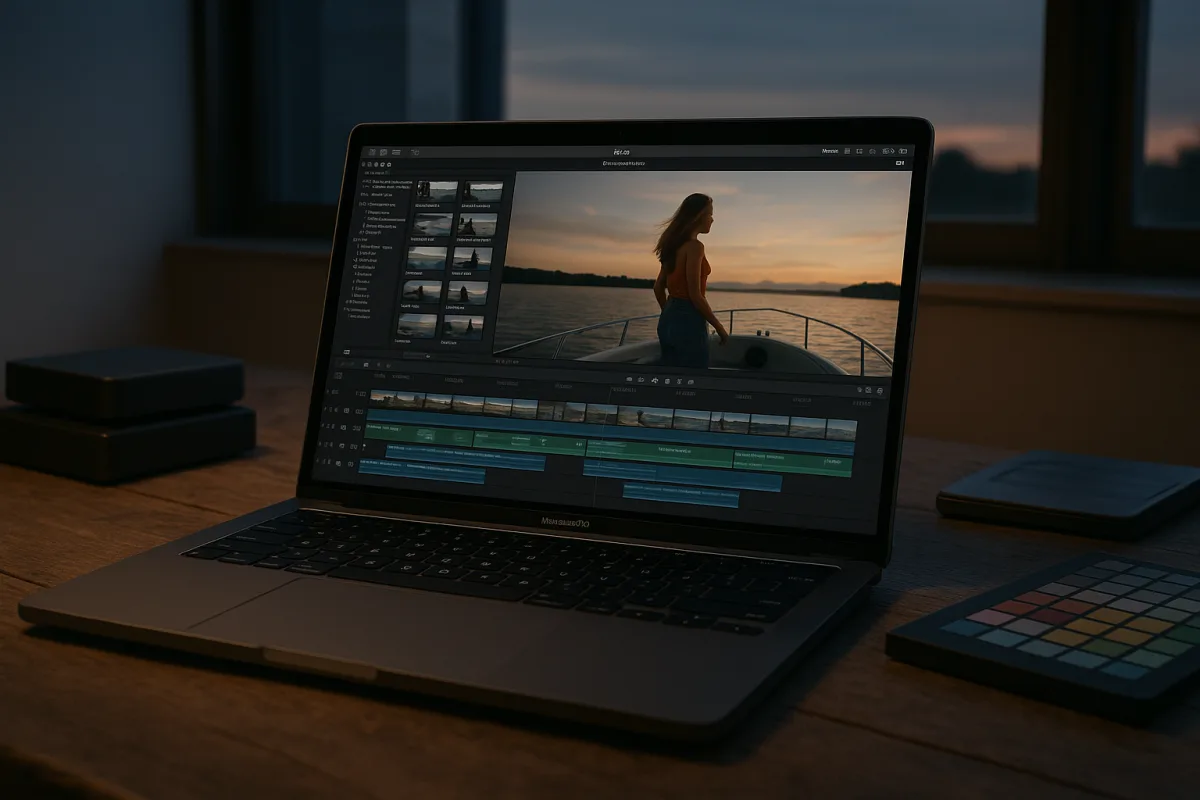
The decision: Final Cut Pro 10.6 or DaVinci Resolve 18?
For a Mac user choosing one serious editor, the useful comparison is Apple Final Cut Pro 10.6 against Blackmagic Design DaVinci Resolve 18. Both are premium tools, both can finish professional work, and neither is a sensible choice merely because it has a longer feature list.
Final Cut Pro is the practical pick for editors working entirely inside the Apple ecosystem, particularly on Apple Silicon laptops and desktops. DaVinci Resolve is the stronger choice for finishing-led work where colour, compositing, audio, and cross-platform collaboration shape the job.
That is not a claim that one interface is universally better. The research brief contains no reliable usability scores or satisfaction data, and I have not tested either application. This is a workflow decision based on reported capabilities, current compatibility guidance, and the failure points editors hit under deadline.
Blackmagic Design positions DaVinci Resolve as an integrated editor, colour-correction system, visual-effects environment, and audio-post application. That all-in-one arrangement is why it suits professional editors whose job reaches beyond cutting pictures. [3]
Apple Final Cut Pro is built around macOS integration and Apple Silicon efficiency. ClipVerdict’s 2026 assessment specifically highlights its optimisation for Apple Silicon, which matters more than a generic claim that a newer Mac is simply “fast.” [22]
Head-to-head comparison
| Criterion | Final Cut Pro 10.6 by Apple | DaVinci Resolve 18 by Blackmagic Design |
|---|---|---|
| Best fit | Mac-only editors needing efficient, fast-turnaround editing | Editors needing advanced colour, VFX, audio, or cross-platform flexibility |
| Platform logic | Deeply aligned with Apple Silicon and macOS workflows | Runs in a broader professional ecosystem, but asks more of memory and GPU resources |
| Timeline approach | Magnetic Timeline, designed around connected clips rather than traditional track management | Conventional professional timeline model within a wider post-production suite |
| 4K playback and proxies | Often workable without proxies on capable M2 or M3 MacBook Pro hardware | More likely to benefit from proxies and substantial memory on demanding projects |
| Codec workflow | Particularly well suited to ProRes and Apple media-engine acceleration | Broad codec support, but codec and GPU choices still determine real-time performance |
| Colour grading | Strong editing and finishing tools, but not the main reason to choose it | The clear specialist option for advanced colour correction and grading |
| Visual effects and audio | Best regarded as an editing-first application | Includes dedicated visual-effects and audio-post environments in the same application |
| AI-assisted tools | Apple Silicon helps acceleration, but feature performance still depends on the Mac | Resolve’s current workflow is reported to include AI-assisted tools, with hardware demand varying by task |
| Hardware baseline | Apple Silicon is central, with M1-class hardware as the practical floor | Requires more RAM and GPU headroom, especially for 4K, effects, grading, and complex timelines |
| Main weakness | Mac-only workflow and a timeline model that may not suit track-based editors | Heavier system demands and more workflow overhead for editors who only need quick cuts |
| Cost position | Premium | Premium |
Performance on an actual Mac timeline
Final Cut Pro’s advantage is not that proxies have become obsolete. It is that Apple Silicon, particularly M2 and M3 MacBook Pro configurations, can make many ordinary 4K edits responsive without proxy generation. That removes a preparation step, which is useful when footage arrives late. [12]
The caveat is important. “4K” tells you almost nothing about how difficult a timeline will be. A single-stream 4K ProRes interview is not comparable with multicam HEVC, noise reduction, stabilisation, titles, effects, and several layers of graphics.
Apple’s media engines differ between chip models. A base Apple Silicon machine, a Pro-tier configuration, and a Max-tier configuration do not offer identical encode and decode capacity. Buying Final Cut Pro does not flatten those hardware differences into one performance level. [13]
The sensible Final Cut Pro setup is still to transcode hostile camera originals when necessary. H.264 and HEVC save storage and delivery bandwidth, but they are compressed codecs that can make editing needlessly laborious. ProRes costs space, yet it is often the hour-saving fix. [21]
DaVinci Resolve can also cut, grade, mix, and deliver a project on a Mac, but the brief is clear that it relies more heavily on proxies and higher RAM for demanding work. Treat proxy generation as part of the Resolve workflow, not as evidence that the software has failed.
For a Resolve job involving 4K or higher-resolution media, colour nodes, effects, and multiple streams, memory headroom matters. The documented baseline is 16GB of RAM and 4GB of GPU VRAM, while 32GB of RAM and 6GB of GPU VRAM is the more credible recommended starting point. [14]
That makes Resolve a better fit for the editor who plans their ingest and proxy pipeline. It is less attractive for the person who repeatedly drags compressed camera files onto a laptop timeline an hour before a client review and expects every effect to play cleanly.
Codecs, colour, and the work after the edit
Final Cut Pro is the cleaner recommendation for a Mac-first ProRes workflow. Its native emphasis on MOV and ProRes aligns with Apple hardware acceleration, and that can make ingest, editing, export, and archive decisions more straightforward. [22]
That does not mean every project should be converted to ProRes. If the footage is short, lightly layered, and plays smoothly, transcoding creates avoidable storage use. Create optimized media or proxies because the timeline needs them, not because a checklist says every clip must change.
DaVinci Resolve is the better choice when colour is part of editorial decision-making rather than a final button press. Its reported strength is a comprehensive suite that combines editing, colour correction, visual effects, and audio post-production. [3]
This matters when the edit will require shot matching, a deliberate grade, masks, tracked adjustments, compositing, or detailed sound finishing. Keeping those stages in one application can reduce interchange friction, although it does not make the work itself faster or simpler.
Resolve also has broad codec support and AI-assisted workflows in current development, including version 21.1 in the research brief. AI tasks can be useful, but they are not free performance. Their resource impact varies by hardware and project, with no reliable single speed figure supplied.
Final Cut Pro falls down if the project must move easily between Windows and macOS systems, or if the post team is built around conventional tracks and dedicated colour, audio, and effects departments. The Magnetic Timeline is purposeful, but it is not neutral.
Resolve falls down when its depth becomes overhead. A creator cutting a product demo, talking-head video, or event recap may not need a full colour, effects, and audio suite. For that user, the shorter route from card to edit to export matters more.
Compatibility traps worth checking first
The Apple Silicon transition is the first check, before features or templates. Final Cut Pro’s practical minimum is an M1 Mac with 8GB of RAM and 256GB of SSD storage, while a more realistic recommendation is an M2 Pro or M5 Pro or Max machine with 16GB of RAM and 512GB storage. [12]
The gap between “runs” and “edits comfortably” is real. A minimum-spec machine may open Final Cut Pro and finish simple jobs, while a heavier multicam or effects sequence exposes the limits immediately. Storage also fills quickly once optimized media and render files enter the picture.
Current macOS direction makes this more urgent. macOS 27 Golden Gate supports Apple Silicon Macs only, so Intel Mac owners should verify both their operating-system path and individual application support before changing software. [17]
Adobe Premiere Pro remains relevant in the field because cross-platform professionals may need it, but it is not one of the two recommended finalists here. Adobe’s Creative Cloud version 27 transition to Apple Silicon-only Macs is a specific warning for Intel Mac users. [17]
Adobe’s published requirements can also confuse Mac buyers because its official minimum specification information prominently references Windows 11 v24H2. Adobe’s Mac-specific requirements should be verified directly for the intended Premiere Pro 2026 release rather than inferred from Windows documentation. [26]
Where the rest of the field sits
Apple iMovie 2026 is the entry-level Apple option for beginners and casual Mac users who need basic editing without the operational weight of Final Cut Pro. Primal Video describes it as simple and user-friendly, but its basic toolset is the reason to outgrow it when projects become more demanding. [23]
ByteDance CapCut 2026 is also entry-level, aimed at social creators who want templates, trending formats, and quick AI-assisted polish. Flixier identifies those ready-to-use social features as its defining strength, not deep post-production control. [24]
Wondershare Filmora 12 sits in the mid-range for users who want a friendlier route to effects, templates, and polished short-form edits. Content Mavericks highlights its broad template and effects selection, making it more suitable for speed than for a formal finishing workflow. [25]
Adobe Premiere Elements 2026 is a mid-range option for beginners who want more guided features than iMovie without moving into full Premiere Pro complexity. Digital Camera World reports additions including 360 or VR support and AI functions such as music remixing. [4]
Descript 2026 belongs in the mid-range for creators whose workflow starts with speech, transcripts, screen recordings, and AI-assisted assembly. Primal Video identifies transcription and screen recording as central strengths, so it is not a direct replacement for Resolve’s colour pipeline. [23]
VN Video Editor 2026 is entry-level and suits beginners through intermediate users who want clean, uncomplicated editing with 4K support, keyframing, and audio controls. Primal Video’s assessment makes it a practical lightweight choice rather than a full finishing platform. [23]
Telestream ScreenFlow 10 is a mid-range specialist for tutorials, presentations, and training material where recording the screen and editing it belong in the same workflow. Content Mavericks specifically frames that combined capture-and-edit purpose as its appeal. [25]
LumaFusion 4 by Luma Touch is a mid-range mobile editor for creators editing on iOS devices rather than building a Mac workstation workflow. Its multi-track editing and effects support suit capable work on the move, not necessarily a complex desktop grading session. [23]
Who each option suits
Choose Final Cut Pro 10.6 by Apple if you work exclusively on Mac, especially an Apple Silicon Mac, and your priority is getting through 4K editorial work with as little proxy administration as possible. It suits solo editors, corporate and event editors, and creators whose deliverables live comfortably in a ProRes and macOS pipeline.
It is also the stronger choice when speed means fewer handoffs. If you ingest, edit, make a few finishing adjustments, deliver, and archive yourself, Final Cut Pro’s Apple-first optimisation is more valuable than a larger post-production toolbox you may never open.
Choose DaVinci Resolve 18 by Blackmagic Design if grading is a core part of the job, if visual effects and audio post need to live beside editorial, or if the project may leave the Mac ecosystem. It suits finishing editors, colour-conscious productions, and teams that can budget time for proxy creation and system preparation.
Resolve is not automatically the better professional application because it is broader. It is better when the project genuinely needs its breadth. Give it adequate RAM, GPU capacity, storage, and an intentional codec workflow, and it is the more complete post-production environment.
For a Mac editor deciding between these two, the honest result is close. Final Cut Pro wins the Apple-first speed and simplicity decision. DaVinci Resolve wins the colour-and-finishing decision. The wrong choice is usually not software, it is expecting compressed originals, limited memory, and an under-specified Mac to behave like a prepared post-production system.
Frequently Asked Questions
What is the best video editing software for Apple Silicon Macs?
Final Cut Pro 10.6 is the best choice for Apple Silicon Macs when fast turnaround on 4K material with minimal proxy management is needed. It is optimized specifically for Apple Silicon hardware, especially M2 and M3 MacBook Pro models, making it efficient for Mac-only editors.
How does Final Cut Pro 10.6 compare to DaVinci Resolve 18 on Mac?
Final Cut Pro 10.6 offers a fast, Apple Silicon-optimized workflow ideal for editors working entirely within the Apple ecosystem. DaVinci Resolve 18, by contrast, excels in advanced colour grading, visual effects, audio post-production, and cross-platform projects but demands more RAM and GPU resources.
Which video editor handles 4K footage better on Mac?
Final Cut Pro 10.6 can often handle 4K footage without proxies on capable Apple Silicon Macs like the M2 or M3 MacBook Pro, reducing preparation time. DaVinci Resolve 18 typically requires proxies and more memory for smooth 4K editing, especially when using effects and colour grading.
What are the hardware requirements for DaVinci Resolve on Mac?
DaVinci Resolve requires a minimum of 16GB RAM and 4GB of GPU VRAM for 4K editing, with 32GB RAM and 6GB GPU VRAM recommended for demanding projects involving effects and grading. This higher hardware demand supports its integrated editing, colour correction, visual effects, and audio-post capabilities.
How do proxies affect video editing performance on Mac?
Proxies reduce the processing load by using lower-resolution versions of footage during editing. Final Cut Pro 10.6 often avoids proxies on Apple Silicon Macs for 4K editing, while DaVinci Resolve 18 relies more heavily on proxies and substantial memory to maintain smooth performance on complex or high-resolution timelines.
How we researched this
This article was assembled from 26 cited references.
Nothing here is based on hands-on testing. Where a figure or finding appears, it belongs to the source cited beside it, and the writing says so rather than implying otherwise. Every source is listed below so you can check it.
Sources
- Best Video Editing Software for Mac in 2026 (Free & Pro Tools Compared)
- Suppliers | CHAOS a film company
- Best Video Editing Software 2026 — Tested & Ranked | Best Picks Guide
- 動画編集の初心者でも簡単に使える機能は?
- Best Mac Video Editing Software in 2026: Top 7 Apps for Every Skill Level (and What YouTubers Actually Use) - maclaunch.com
- Best Softwares for Video Editing in 2026
- Final Cut Pro Pricing 2026 — Mac $299.99 One-Time | StackScored
- Best Video Editing Software 2026: Premiere Pro, DaVinci, CapCut Compared
- Movavi Video Editor 2026: An affordable and feature-packed non-linear video editor
- CorelDRAW Graphics Suite 2026 review: An impressive collection of creative software for PC and Mac - now with added AI
- The Ultimate Guide to Choosing the Best Laptop for Video Editing – Define Computer
- Best Mac for video editing | Macworld
- The best Mac for video editing, all thoroughly tested and reviewed
- I edit video for a living - and this is how much RAM you need in 2026
- Best Mac for Video Editing on a Budget (2026 Guide) | MacPro-LA
- Best Mac Software for Video Editing in 2026 (Free & Paid)
- Adobe Confirms Intel Mac Creative Cloud Hits Hardware Ceiling with Version 27 This Fall
- Film Editing Software Comparison 2026: Premiere, DaVinci, Final Cut, and More | Filmcane Blog
- Best Video Editing Software In 2026: Choose By Workflow, Not Just Features
- Mac mini for 4K and 8K Video Editing: The Real Story on Performance and Limitations | Holopico
- Why video codecs can make or break your editing experience
- Final Cut Pro 10.6 by Apple
- iMovie 2026 by Apple
- CapCut 2026 by ByteDance
- Filmora 12 by Wondershare
- Common issues in Premiere on Apple silicon Macs | Premiere
Related Articles
How to Choose Video Editing Software
Learn how to choose video editing software by comparing Premiere Pro and DaVinci Resolve on timelines, proxies, codecs, and color grading workflows.

Unlocking Hidden Insta360 App Features: A Comprehensive Tutorial
Discover hidden features in the Insta360 app version 2, including framing guides, proxy mode, navigation shortcuts, MultiView, photo-to-video conversion, color correction, and customizable export settings. Master the art of reframing shots with this detailed tutorial.
Documentary Video Editing Techniques
Learn documentary video editing techniques including proxy workflows, timeline settings, codecs, and color grading for smoother, high-quality edits.
Beginner Video Editing Apps Comparison: CapCut vs iMovie
Compare beginner video editing apps CapCut and iMovie to find the best fit for social videos or Mac users starting out with editing.