
How to Choose Video Editing Software
Learn how to choose video editing software by comparing Premiere Pro and DaVinci Resolve on timelines, proxies, codecs, and color grading workflows.
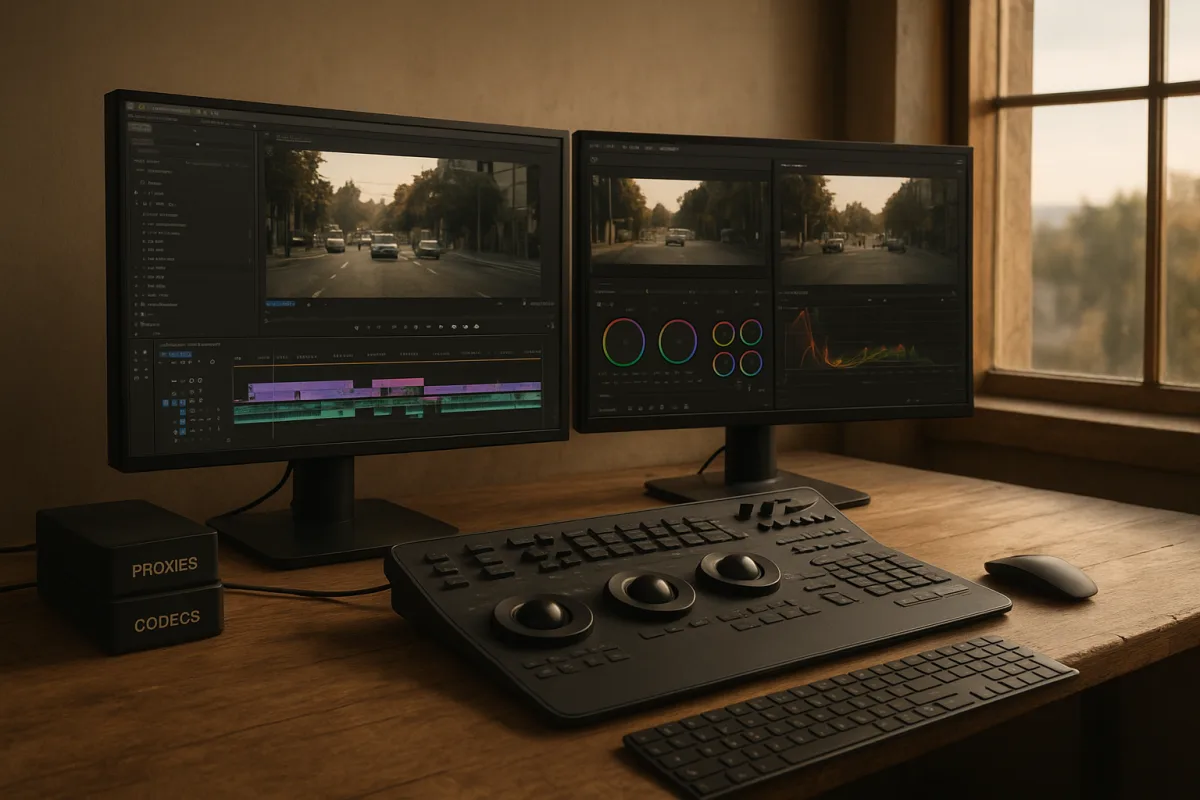
The decision: Adobe Premiere Pro or DaVinci Resolve Studio?
If you are choosing one primary desktop editor for paid work in 2026, the useful head-to-head is Adobe Premiere Pro versus DaVinci Resolve Studio.
Both are premium tools. Both can cut long-form work, manage multicamera edits, work with proxies, handle common delivery codecs and support serious colour workflows. Neither will solve a bad media-management habit, an H.265 timeline on a slow external drive, or a project that has been allowed to grow into 14 versions called final_final_reallyfinal.
The decision is less about which app has the longest feature list. It is about where your work spends time.
Choose Adobe Premiere Pro if you work in a production team, regularly exchange projects with agencies or other Adobe users, and need an editor built around a broad professional ecosystem. It is premium software on a recurring subscription, which is a real operating cost rather than a minor detail. [3][18]
Choose DaVinci Resolve Studio if you want a premium desktop editor with a one-time purchase model, and you need colour, audio post-production and compositing to live close to the edit rather than becoming separate handoffs. The free version is also unusually capable, so Resolve is the safer place to learn the workflow before committing to Studio. [4][5]
That is the short answer. The longer answer is in the parts of an edit that tend to cost time.
1. Platform and team fit
Premiere Pro: Premiere Pro is the stronger fit for production teams and agencies because it is widely used across professional editing environments. [3] That does not mean every facility uses it, nor that a Premiere project will open cleanly in every other NLE. It means you are more likely to receive Premiere projects, Adobe-linked assets and established delivery expectations when working with corporate clients, social teams and agency pipelines.
For an editor who frequently passes graphics work to Adobe-centric colleagues, the broader Adobe environment can be the deciding factor. That is workflow value, not an argument that Premiere is automatically faster on every cut.
Resolve Studio: Resolve Studio suits solo editors and smaller teams who want editing, colour, Fusion visual effects and Fairlight audio tools in one application. The briefing identifies Resolve 21 as the most comprehensive of the two for that all-in-one post stack, including AI tools in Studio. [15] This reduces round-tripping when the job needs a proper grade, dialogue cleanup and some compositing, but it also means the application has more departments to learn.
Verdict: Premiere Pro is the more conservative choice for an Adobe-heavy team. Resolve Studio is the cleaner choice when you want to keep more of post-production in one project. They are close if your work is straightforward offline editing and delivery.
2. Timeline performance, codecs and proxies
Premiere Pro: Premiere Pro has robust integrated proxy creation and toggling. [10][11] That matters more than people admit. Proxy editing is the fix when a client supplies long-GOP H.265 camera originals, screen recordings, mixed frame rates or footage from several phones and cameras. Do not begin by shopping for a faster computer. First make proxies, use an edit-friendly format such as ProRes Proxy or DNxHR LB, and put the proxy and cache media on a fast SSD.
Premiere Pro is a good choice if an assistant editor needs to create proxies and an editor needs to switch between proxy and full-resolution media without turning that into a daily manual relink task.
Resolve Studio: Resolve also has integrated proxy-generation and proxy-toggle workflows, and is a credible alternative for the same 4K and higher-resolution jobs. [11] Resolve is particularly attractive when the proxy edit will lead directly into a grade. Its free version makes this workflow accessible without paying at the point you discover that your laptop cannot comfortably decode H.265 all day.
There is a catch: Resolve has higher general hardware expectations than lightweight editors, with 16 GB RAM cited as a minimum and 32 GB generally recommended for 4K work. Fast SSD storage is strongly advised. [20] A workstation can have a powerful GPU and still feel bad if the media lives on a slow USB drive.
Verdict: It is a draw. Both applications have the proxy fundamentals a professional workflow needs. Choose based on team interchange and finishing needs, not on the assumption that one magically edits compressed camera media without preparation.
3. Colour, effects and audio finishing
Premiere Pro: Premiere Pro offers Lumetri Color and newer colour features including Color Mode, AI Object Masking and film-look tools. [3][15] That is enough for many commercial, documentary, social and corporate jobs, especially when the grade is a controlled correction pass rather than a specialist finishing session.
Its limitation is not that it lacks colour controls. The limitation is that Premiere is less naturally positioned as the one place to do every finishing job. If the project has difficult secondary corrections, tracked masks, VFX shots, mix revisions and delivery versions, editors should assess the full workflow rather than treating colour controls on the timeline as the whole post pipeline.
Resolve Studio: Colour is the clear reason many people choose Resolve Studio. It combines advanced grading with Fusion and Fairlight, and its Studio edition adds AI-assisted features beyond the already professional-grade free version. [4][15] If colour is billable work, this is a meaningful advantage. It is also useful for the editor who has to deliver the grade, mix and masters alone.
Do not buy it solely because of AI claims. LumiVideo and similar AI-driven grading systems are still emerging rather than established daily tools, so their practical impact remains uncertain. [1] Good colour work still starts with consistent camera settings, managed colour spaces, proper exposure and sensible monitoring.
Verdict: Resolve Studio wins for colour-intensive work and integrated finishing. Premiere Pro is fully viable for edits where the grade is contained, the team already lives in Adobe, or finishing is handed to another department.
4. Learning curve and speed to first delivery
Premiere Pro: Premiere Pro is not beginner software, but its industry presence means there are many established workflows around it. That helps only if the project structure is disciplined. Bins, naming, sync, captions, proxy attachments and exports still need an operator who understands the job.
The recurring premium subscription makes it a poor fit for someone who edits two family films a year or wants to avoid an ongoing bill.
Resolve Studio: Resolve is suitable for beginners in the sense that its free version offers serious tools. It is not necessarily easy for beginners. The interface covers editing, media management, grading, effects and audio, and that depth creates a steeper learning curve. [4][5] A new editor can get a clean cut out of it, but the first week may be slower than with a deliberately simplified editor.
Verdict: Premiere Pro wins if the learner is joining a Premiere-based workplace. Resolve is the better long-term learning choice for someone who specifically wants post-production depth and can accept a slower ramp.
5. Cost model and upgrade risk
Premiere Pro: Premiere Pro is premium subscription software. [17][18] The practical question is whether recurring access matches your income and client pipeline. For a working editor whose clients require Premiere project files, it can be a cost of doing business. For everyone else, it is worth asking whether that recurring payment is buying actual workflow compatibility or simply familiarity.
Resolve Studio: Resolve Studio is premium software sold as a one-time purchase, while the free Resolve version remains available for editors who do not need Studio features. [4][7] This is one of the strongest arguments for Resolve. It lets a new editor start with the same core editing environment and decide later whether the Studio-only features earn their place.
Verdict: Resolve Studio wins on purchase flexibility. Premiere Pro wins only when its team compatibility creates enough paid work or saved coordination time to justify the subscription.
Where the rest of the field fits
The rest of the field is not a set of failed alternatives to Premiere Pro and Resolve Studio. They solve narrower problems.
Final Cut Pro is premium, one-time-purchase software for Mac and iPad users who want high-end editing with a clean interface and fast workflow. It is limited to macOS and iPadOS, and is less customisable than Premiere Pro, so it is the wrong choice for a Windows-based team regardless of its strengths. [3][23]
Pinnacle Studio Ultimate is a premium Windows option for editors avoiding subscriptions who need motion tracking, keyframing and support for projects up to 8K. It suits a Windows-based individual editor more than a team selecting a common agency standard.
LumaFusion is premium mobile editing software for professionals who need complex mobile projects, including MultiCam Sync and XML export. It is positioned as resembling Final Cut Pro. It suits editors who genuinely need an iOS or mobile-first workflow, not someone looking to replace a desktop finishing suite. [3]
CyberLink PowerDirector 365 is mid-range software with free and subscription-based features. It suits beginners who need cross-platform access and strong visual effects without beginning in a full professional NLE. [3]
Wondershare Filmora AI Video Editor is a mid-range, relatively affordable choice for creators who value AI-assisted functions such as AI Video Extender, Prompt Video Editing, animated charts and planar tracking. It also includes stabilisation and lens-correction tools. It suits fast creator workflows, though low-cost and free tiers across this category can restrict exports or lock features. Check the plan before committing. [7]
Microsoft Clipchamp is mid-range and best suited to Microsoft 365 users who want an integrated editor for straightforward business and social video. Its tools include text-to-speech in more than 80 languages, silence and noise removal, background replacement and automatic captions. It is a practical communications tool, not the obvious choice for a complex colour-managed production. [3]
Adobe Premiere Elements 2026 is mid-range software with a subscription-free licence model aimed at beginners. Its Quick, Guided and Advanced modes, 360 and VR support, motion-based titles, vertical reframing and AI music remixing make it appropriate for someone graduating beyond a basic editor without taking on Premiere Pro’s full complexity.
KineMaster is mid-range mobile software for Android and iOS users who want higher-end editing features on a phone or tablet. Its free version adds a watermark, so it suits experimentation and mobile-first creators who have checked the export terms before building a client workflow around it.
CapCut is entry-level, mostly free and mobile-focused, aimed at social-media creators who need a simple interface. CapCut Pro adds more AI tools. It is the appropriate choice for quick vertical edits, captions and short-form publishing, not for a project that will require a deep conform, a heavy grade or a long post schedule. [5]
iMovie is entry-level and built into Apple devices for Mac users who need simple editing without an additional software purchase. It is the right starting point for basic cuts and quick personal projects. It is not a substitute for Final Cut Pro, Premiere Pro or Resolve when the project requires advanced post-production. [22]
The practical recommendation
For professional desktop work, pick Premiere Pro when Adobe compatibility and team handoff are the priority. Pick DaVinci Resolve Studio when colour, sound, effects and one-time ownership matter more. There is no manufactured winner here. The apps are close on core editing, proxy workflow and common codec support.
Before buying either, test your actual media. Make a short timeline with your camera originals, generate proxies, add captions, apply the corrections you routinely need and export a delivery master. The software choice matters, but the hour-saving fix is usually simpler: use proxies, keep media and cache on fast SSD storage, transcode demanding H.265 when necessary, and do not expect 4K editing to be pleasant with insufficient RAM or GPU memory. [10][20]
Frequently Asked Questions
How do I choose the right video editing software for my workflow?
Choosing the right software depends on your team environment and post-production needs. If you work in a production team or frequently exchange projects with Adobe users, Adobe Premiere Pro is a better fit due to its integration in a broad professional ecosystem. If you prefer an all-in-one tool for editing, color grading, audio, and effects with a one-time purchase, DaVinci Resolve Studio is a strong choice, especially for solo editors or smaller teams.
What are the differences between Adobe Premiere Pro and DaVinci Resolve Studio?
Premiere Pro is subscription-based and excels in team environments with Adobe-centric workflows, offering robust proxy management and integration with other Adobe apps. Resolve Studio uses a one-time purchase model and combines editing, color grading, visual effects, and audio post-production in one application, reducing the need for round-tripping between apps. Resolve also has a free version that is quite capable for learning and smaller projects.
Which video editing software handles proxies and codecs better?
Both Adobe Premiere Pro and DaVinci Resolve Studio have strong integrated proxy creation and toggling workflows suitable for handling compressed camera media like H.265. Premiere Pro is convenient for workflows needing assistant editors to create proxies and editors to switch easily between proxy and full-res media. Resolve is equally capable but has higher hardware requirements, such as at least 16 GB RAM and fast SSD storage, to perform well with proxies.
Is DaVinci Resolve better for color grading than Premiere Pro?
DaVinci Resolve Studio offers a more comprehensive color grading suite, including Fusion visual effects and Fairlight audio tools within the same application, making it attractive for projects that require detailed grading and finishing. Premiere Pro provides Lumetri Color with advanced features like AI Object Masking and film-look tools, which suffice for many commercial and documentary jobs but may be less extensive than Resolve’s dedicated grading tools.
What factors should I consider when selecting video editing software in 2026?
Consider your team size and collaboration needs, budget model (subscription versus one-time purchase), hardware capabilities (RAM, GPU, SSD speed), and the extent of post-production tasks you want to handle within one app. Also, evaluate proxy workflow support and codec compatibility based on your media sources. Finally, think about whether you need integrated color grading, audio, and effects tools or prefer specialized apps for those tasks.
Sources
- LumiVideo: An Intelligent Agentic System for Video Color Grading
- 10 Best Open Source Video Editors You Must Try in 2026
- I'm a video editor and this is the best video editing software of 2026 for creative professionals and creators
- DaVinci Resolve 2026 Pricing, Features, Reviews & Alternatives | GetApp
- Best Video Editing Software 2026 — DaVinci Resolve vs Premiere Pro vs CapCut vs Final Cut Pro Compared | LogicalRefer
- The Real Cost of a Video Edit: Software, Time, and What We Actually Charge For — VizEdits
- DaVinci Resolve, Movavi and Filmora in 2026: Video Editor Licenses Compared | IVSOFTE
- Movavi Video Editor 2026: An affordable and feature-packed non-linear video editor
- I just tried Apple Creator Studio - and I'm never going back to Adobe
- Premiere Pro proxy editing without filling your SSD (2026) | Sanbila
- Proxy Workflow: Edit 4K Videos Smoothly on Any Computer in 2026
- Shotcut 26.1 Video Editor Brings Long-Awaited Hardware Video Decoding
- Best Open Source Video Editors in 2026
- Best Video Editing Software 2026: Free and Paid Compared | Ruah Creative House
- Best Video Editing Tools for Color Grading (2026) | Listicler
- Best Video Editing Software in 2026 | Toolradar
- Video Editing Software Pricing 2026: 20 Tools Compared
- Adobe Premiere Pro Price 2026: Best Video Editors | BizTechScout
- Best Video Editing Software In 2026: Choose By Workflow, Not Just Features
- Hardware Requirements for Video Editing: What You Actually Need in 2026
- Video Editing Software Cost in 2026: Pricing & Best Options
- iMovie
- Final Cut Pro - Download (Mac) - Softpedia
Related Articles

Unlocking Hidden Insta360 App Features: A Comprehensive Tutorial
Discover hidden features in the Insta360 app version 2, including framing guides, proxy mode, navigation shortcuts, MultiView, photo-to-video conversion, color correction, and customizable export settings. Master the art of reframing shots with this detailed tutorial.
Best Video Editing Software for Mac
Compare Final Cut Pro 10.6 and DaVinci Resolve 18 to find the best video editing software for Mac users focused on Apple Silicon and 4K workflows.
Video Editing Workflow: How to Create an Efficient Process
Learn how to create a video editing workflow covering timelines, proxies, codecs, and color grading for smooth post-production.
Edit Video for Educational Content
Learn how to edit video for educational content with tips on timelines, proxies, codecs, and color correction for engaging teaching videos.