
Video Editing Revision Rounds: Best Practices for Feedback
Learn best practices for video editing revision rounds to streamline feedback, consolidate notes, and improve review timelines effectively.
The revision round is the unit that protects the edit
The best feedback practice is not “get clearer notes.” It is building a revision round that has a defined beginning, a defined decision-maker, and a defined end. Most late nights in post are failures of that system, not failures of editing speed.
A revision round is a small production workflow inside the larger project. You export a named version, publish it for review, collect notes within a fixed window, resolve conflicts, make the agreed changes, and obtain approval or move to the next agreed stage.
That may sound bureaucratic, but it answers the question that usually burns the most time: which comment is actually an instruction? A Slack message from a colleague, an email from a founder, and a comment from the person paying the invoice are not automatically equal.
The useful rule is simple: every round needs one feedback owner. That person can be the client producer, agency account manager, marketing lead, or internal video producer. Their job is not necessarily to have the best taste. It is to consolidate decisions.
FileFeedback’s guidance on multiple stakeholders makes the operational point well: feedback must be consolidated rather than passed directly from every reviewer to the editor. [3] Without that layer, the editor becomes the unpaid referee between contradictory opinions.
What happens inside a controlled round
A workable round has five states: delivery, review, consolidation, edit, and approval. The names are less important than making each state visible. A project stalls when everyone believes it is in a different state.
Delivery means one export is the review master. Name it so no one has to ask. A filename such as Client_Project_Film_V03_2026-09-30.mp4 is dull, but it tells a reviewer what they are watching and lets the editor trace later notes.
Do not call files “final,” “final-final,” or “final-new.” Those names are how a team accidentally approves an old cut. Fastio recommends clear naming and approval workflows precisely because version control is a workflow problem before it becomes a storage problem. [4]
Review means reviewers comment on that version only, before the deadline. EditorCuts recommends explicit feedback windows, commonly 48 hours per round, to prevent revisions expanding without limit. [1] Forty-eight hours is not magic, but it establishes a default expectation.
The deadline should fit the asset. ProductionHelp places short social edits at roughly one to three business days, while corporate videos commonly need five to seven days. [5] A campaign involving multiple deliverables can take two to four weeks, according to Organic Opz. [8]
Those are production turnaround estimates, not a reason to give every 30-second social cut a week-long review period. A short clip can have a 48-hour response window. A regulated corporate film may need longer because legal, brand, and subject-matter review are real dependencies.
Consolidation is where the feedback owner turns many opinions into one ordered list. “At 01:14, replace the approved product image” is an edit note. “Could this feel more premium?” is a discussion starter, not an instruction an editor can reliably execute.
A good consolidated note identifies the timecode, the requested change, and the reason where the reason affects the solution. For example: “01:14 to 01:20: reduce music by 3 dB under the testimonial, because the final sentence is difficult to understand.”
That wording prevents a familiar wasteful loop. If the note merely says “audio issue,” the editor may rebalance the entire mix, only to discover the stakeholder wanted subtitles, a different music cue, or an alternate take.
Why time-coded comments matter
Time-coded comments are not a luxury feature. They change vague opinion into a location on the timeline. The editor can jump to 01:14, inspect the shot, and decide whether the correct fix is an audio adjustment, a trim, a replacement, or an explanation.
Specialist review platforms including Frame.io, Filestage, RevCut, Fastio, and ReviewStudio support time-based commenting and version handling in some form, according to the review-tool coverage in the research brief. [9] I have not tested each platform, so this is not a usability ranking.
The choice should be driven less by brand preference than by client friction. Some platforms require reviewer accounts and others can support simpler access arrangements. That distinction matters when the reviewer is a busy executive who will not complete a software onboarding process for one film.
RevCut is specifically positioned as a DaVinci Resolve review tool, so its appeal is clearest for a Resolve-based editor who wants feedback close to the NLE workflow. [10] That does not make it the automatic answer for Premiere Pro, Final Cut Pro, or Avid projects.
A comment platform does not replace editorial judgement. It gives a stable address for the comment. You still need a person to decide whether “make it punchier” means shorten the opening, change music, improve the first line, or remove three redundant supers.
Sort notes before opening the timeline
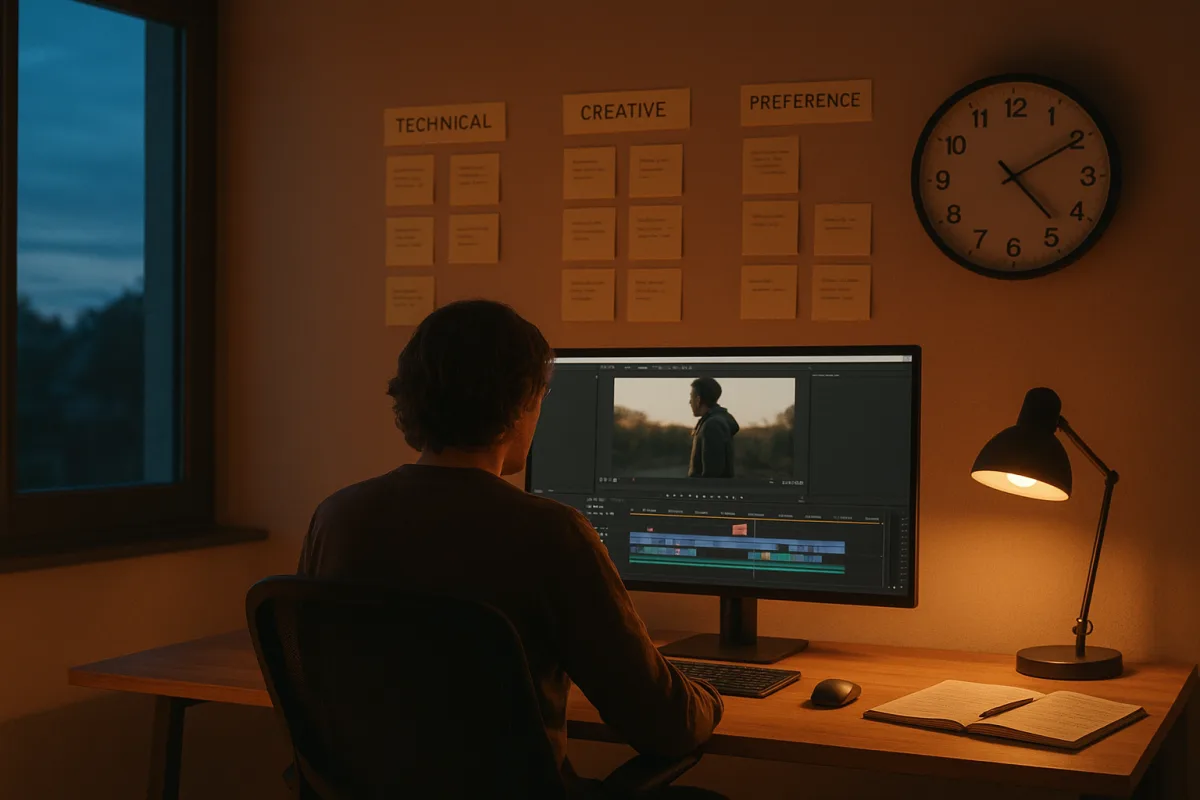
The most useful ordering system is technical, creative, then preference. Wideframe recommends prioritising technical issues before creative adjustments and client preferences, while keeping revision rounds limited, often to two. [22] The sequence matters because earlier categories can invalidate later work.
Technical notes include incorrect spelling, broken captions, audio sync, missing legal copy, wrong logo, inaccurate product claims, bad colour transforms, and playback errors. They have objective acceptance criteria. Either the approved logo is on screen or it is not.
Creative notes concern story, pace, structure, shot choice, performance, or music function. They are subjective, but they can still be specific. “Move the customer quote before the demo because the opening lacks context” is a creative note worth acting on.
Preference notes are the least stable category. “I prefer the blue grade” may be valid, but it should not outrank a clipped voiceover, a typo in a lower third, or a request to remove a legally unapproved claim.
This sorting also stops the editor from polishing work that is about to be cut. If a client wants the opening rebuilt, do not spend an hour keyframing a graphic inside it. Lock structure first, then graphics, then finish detail.
AI-assisted tools can reduce time on repetitive technical checking or first-pass revision tasks, but they do not solve approval authority. MarketScale reports high AI usage in B2B editing workflows, at 88.6 percent, while KinoVela reports advertising use of AI video creative falling from 55 percent in 2025 to 48 percent in 2026. [20] [21]
That contrast is worth taking seriously. AI may speed transcription, caption correction, silence removal, or rough organisation. It cannot decide whether an advertiser’s audience will trust synthetic-looking creative, nor can it reconcile two executives who want opposite cuts.
Make the review export fit the decision
A feedback file is not a mastering deliverable. Its job is to play reliably and reveal the decisions reviewers need to make. Vimeo’s guidance supports MP4 with H.264 High Profile video and AAC-LC audio at 48 kHz and 320 kbps for sharing. [23]
For a 1080p review export, the brief recommends variable bitrate at 8 to 12 Mbps, preserving the original frame rate with constant frame rate encoding and using Rec. 709 colour. [23] Constant frame rate matters because variable-frame-rate media can create sync and timing surprises in editing workflows.
If the client is judging final colour, do not casually send a low-quality proxy and call it final review. They need a correctly managed Rec. 709 export, and the editor needs to state what display conditions the review assumes.
For editorial notes, a 720p proxy is often a sensible compromise. It uploads quickly, plays over ordinary connections, and is detailed enough to judge pacing, copy, framing, and most shot choices. It is a practical recommendation, not an industry-wide proxy standard. [23]
A 720p draft is not the right file for pixel-level retouch approval, subtle noise-reduction assessment, or critical colour sign-off. Those decisions require a higher-quality path and, ideally, a controlled viewing expectation. Otherwise the feedback is about a bad stream, not the grade.
Codec discipline saves time because it avoids false feedback. If a reviewer sees stuttering playback, crushed blacks, or audio drift caused by a poor export, they may ask for editorial changes to solve a technical delivery problem.
Put limits in the scope before the first cut
Two included revision rounds is a common commercial boundary, according to Video Rate Lab’s discussion of revision management. [13] The number matters less than defining what counts as a round and what happens when the client requests a new direction after approving an earlier one.
A round is not every individual comment. It is the complete, consolidated response to one delivered version. Ten comments received within the review window can be one round. A new list sent after the changes are delivered is another round.
This is where editors need to separate corrections from changes. Fixing a misspelled approved name is a correction. Recutting the first minute because a new stakeholder dislikes the agreed concept is a change in scope, even if the request arrives politely.
EditorCuts recommends establishing approval authority and addressing out-of-scope requests with pricing and approval rather than silently absorbing them. [1] That protects the client too, because they can choose between the cost of the change and the cost of leaving the edit alone.
The practical email is short: “These requests change the approved structure, so they fall outside revision two. I can quote the additional edit time, or we can proceed with the current approved direction.” That is clearer than promising to “see what we can do.”
Fix the briefing failure, not just the feedback wording
A vague brief produces vague review. Komet Media identifies weak briefs and poorly structured review cycles as causes of avoidable delay. [14] If nobody has defined audience, platform, required messages, references, runtime, and approval authority, the edit becomes the place those decisions are fought out.
Before cutting, get agreement on deliverables and on what success means. “A two-minute brand film” is not enough. Is the goal lead generation, internal alignment, recruitment, event playback, or a paid social ad that must earn attention in its first seconds?
The timeline itself can create misleading feedback when project settings are inconsistent. EditorVault flags mismatched settings as a major source of timeline problems, with its guidance attributing 73 percent of issues to that category. [18] Check frame rate, sequence settings, audio sample rate, and colour management before review begins.
That advice is NLE-agnostic in principle, but the repair steps are not. DaVinci Resolve, Adobe Premiere Pro, Avid Media Composer, and Final Cut Pro handle colour management, proxy attachment, and sequence defaults differently. Do not follow a Resolve-specific fix inside Premiere Pro without translating the settings.
The best feedback system therefore starts before export and ends before the next cut begins. One version, one deadline, one consolidated list, one authorised approval. It is not glamorous, but it is the fix that keeps revision work from consuming the schedule meant for finishing.
Frequently Asked Questions
What is a video editing revision round?
A revision round is a controlled workflow unit within a video project that includes exporting a named version, publishing it for review, collecting feedback within a fixed window, consolidating that feedback, making agreed changes, and obtaining approval or moving to the next stage. It involves a defined beginning, a single feedback owner, and a clear end to prevent confusion and endless revisions.
How do revision rounds improve video feedback?
Revision rounds improve feedback by establishing clear stages—delivery, review, consolidation, edit, and approval—and assigning one person to consolidate all feedback. This prevents contradictory instructions from multiple stakeholders and ensures that the editor receives a single, ordered list of actionable notes, reducing wasted effort and delays.
Why are time-coded comments important in video editing feedback?
Time-coded comments convert vague opinions into precise locations on the video timeline, allowing editors to quickly identify and address specific issues. This clarity helps avoid misinterpretation and unnecessary rework by specifying exactly where and what needs to be changed.
How should video feedback be consolidated during revision rounds?
Feedback should be consolidated by one designated feedback owner who collects input from all reviewers and turns it into a single, clear list of edit instructions. Effective consolidated notes include the timecode, the requested change, and the reason for it, which helps editors understand the context and apply the correct fix.
What is the ideal timeline for video editing review rounds?
A common default review window is 48 hours to prevent revisions from dragging on indefinitely. However, the ideal timeline depends on the project type: short social clips may need 1–3 business days, corporate videos 5–7 days, and multi-video campaigns up to 2–4 weeks. The timeline should balance the asset’s complexity and the stakeholders’ review needs.
How we researched this
This article was assembled from 23 cited references.
Nothing here is based on hands-on testing. Where a figure or finding appears, it belongs to the source cited beside it, and the writing says so rather than implying otherwise. Every source is listed below so you can check it.
Sources
- Handling Client Feedback in Video Editing: Best Practices
- How to get feedback on a video from a client | Drafty
- The Complete Guide to Video Review and Client Feedback for Creative Teams | FileFeedback Blog
- Collaborative Video Editing: Team Workflow Guide | Fastio
- How Long Does Video Post-Production Take? Realistic Timelines
- Video Editing SLA: What Turnaround Times to Expect
- Video Editing Turnaround & Rush Delivery | Mark Studios
- Turnaround Times: What to Expect from Editing Services
- Video Review Software: 8 Tools Compared for 2026 | UpSys Consulting
- RevCut — Video Review Tool & Client Feedback for Editors (DaVinci Plugin)
- 13 Best Video Collaboration Tools (The Only List You'll Need)
- How to Handle Video Feedback From Multiple Decision Makers
- Video Pricing Survey 2026: Rates & Benchmarks | Video Rate Lab
- Video Editing Brief Mistakes That Slow You Down in 2026
- How to Get Client Feedback on Video (Without the Guesswork)
- YouTube Video Editing Mistakes and How to Fix Them
- Five Video Editing Mistakes That Destroy Viewer Retention (And How to Fix Them) | Frame & Focal
- Video Timeline Basics | EditorVault
- 15 Video Editing Mistakes Beginners Make (and How to Fix Them)
- State of B2B Video Editing | The Definitive Industry Report | MarketScale
- AI Video Creative in 2026 | KinoVela Studios
- How to Manage Revision Rounds With AI-Assisted Editing | Wideframe
- Video and audio compression guidelines – Vimeo Help Center
Related Articles

Handling Client Feedback in Video Editing: Best Practices
Learn how to handle client feedback in video editing with clear processes, tools, and strategies to avoid endless revisions and streamline approvals.

Video Editing Workflow: How to Create an Efficient Process
Learn how to create a video editing workflow covering timelines, proxies, codecs, and color grading for smooth post-production.

Best Video Editing Apps for Mobile
Compare the best video editing apps for mobile in 2026, focusing on CapCut and LumaFusion features, workflows, and performance tips.
Best Resolution for Video
Learn the best resolution for video delivery and editing, why 4K is optimal, and how viewing distance impacts perceived quality.